Mcp Server Zotero Dev
by introfinicommunityv1.0.3
29
4
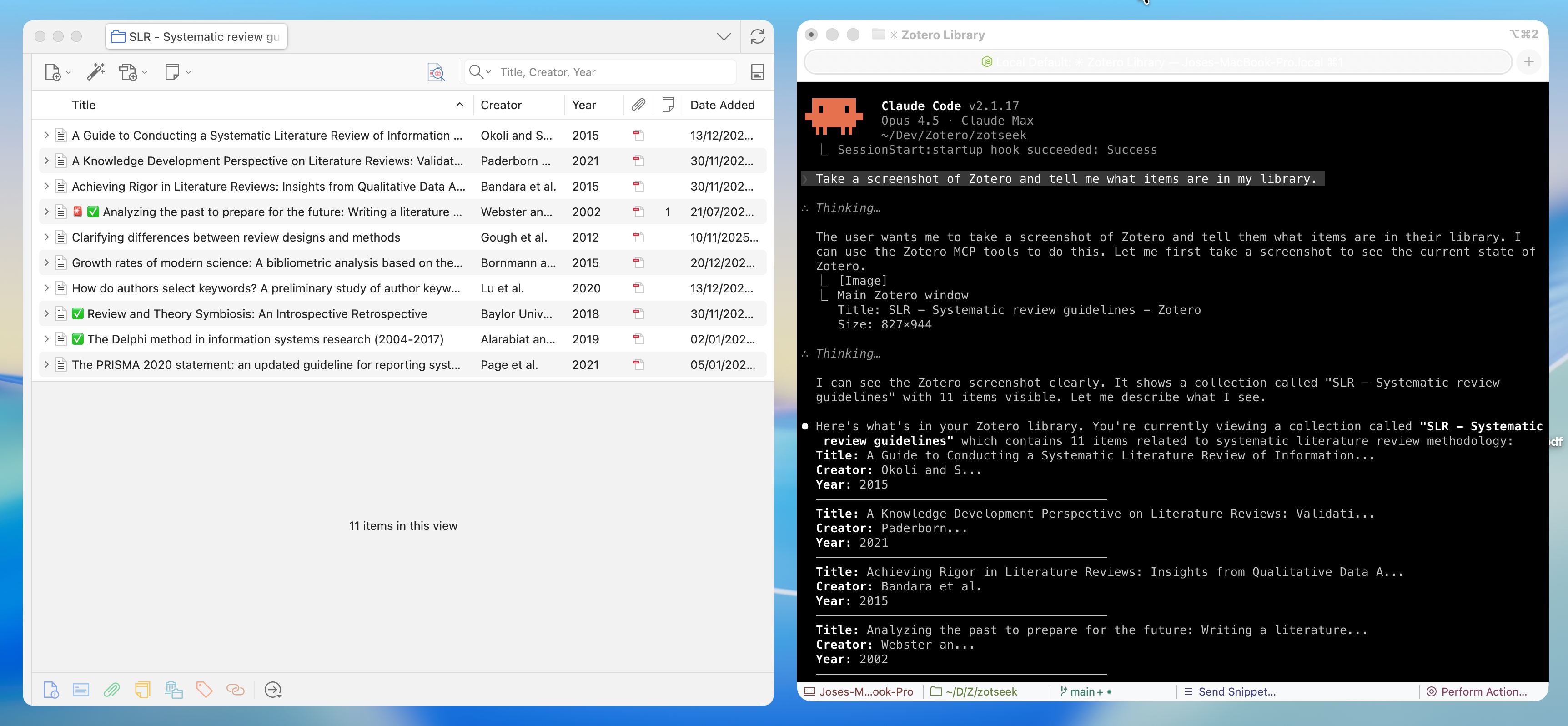
The MCP Server Zotero Dev is a Model Context Protocol server that allows AI assistants to build, test, and debug Zotero plugins by providing rich context such as screenshots, DOM state, and debug logs.
From the registry: MCP server enabling AI assistants to build, test, and debug Zotero plugins


Install & configure
Prerequisites
- requiredNode.js 20+Node.js version 20 or higher
- required
- requiredMCP Bridge plugin for ZoteroDownload zotero-mcp-bridge.xpi and install via Tools > Plugins > Install Plugin From Filehttps://github.com/introfini/mcp-server-zotero-dev/releases/latest
Install in your client
Paste into the AI you're chatting with — it will figure out the rest
Please install the `mcp-server-zotero-dev` MCP server into my current AI client (that's you).

Required prerequisites (do these first if not already done):
- **Node.js 20+** — Node.js version 20 or higher
- **Zotero 7+** — Zotero 7, 8, or 9 installed (https://www.zotero.org)
- **MCP Bridge plugin for Zotero** — Download zotero-mcp-bridge.xpi and install via Tools > Plugins > Install Plugin From File (https://github.com/introfini/mcp-server-zotero-dev/releases/latest)

Canonical MCP server config (stdio transport):
- command: `npx`
- args: ["-y","@introfini/mcp-server-zotero-dev"]
- optional environment variables:
  - `ZOTERO_RDP_PORT`: Remote debugging port (example: `6100`)
  - `ZOTERO_RDP_HOST`: Debugging host (example: `127.0.0.1`)
  - `ZOTERO_DATA_DIR`: Path to Zotero data directory
  - `ZOTERO_PROFILE_PATH`: Path to Zotero profile

Add this MCP server to my current client's config in the correct format for you. If you need secrets or credentials I haven't provided, ASK me — do not invent values or leave raw placeholders. After adding it, tell me how to verify the server is connected.
Tools (25)
zotero_screenshot
Capture window, element, or region screenshots
zotero_inspect_element
Find elements by CSS selector
zotero_get_dom_tree
Get DOM structure of a window/panel
zotero_get_styles
Get computed CSS styles for element
zotero_list_windows
List all open Zotero windows
zotero_execute_js
Execute JavaScript in Zotero's privileged context
zotero_inspect_object
Explore Zotero APIs - list methods and properties of any object
zotero_open_preferences
Open Zotero's settings window
zotero_search_prefs
Search/discover preferences by pattern
zotero_get_pref
Get a preference value
zotero_set_pref
Set a preference value
zotero_scaffold_build
Build plugin (dev or production mode)
zotero_scaffold_serve
Start dev server with hot reload
zotero_scaffold_lint
Run ESLint on plugin source
Environment variables
ZOTERO_RDP_PORTrequiredRemote debugging portZOTERO_RDP_HOSTDebugging hostZOTERO_DATA_DIRPath to Zotero data directoryZOTERO_PROFILE_PATHPath to Zotero profilePackages
@introfini/mcp-server-zotero-dev
npmv1.0.3transport: stdio
Details
- Language
- TypeScript
- License
- MIT
- Released
- Feb 9, 2026
- Last commit
- Apr 11, 2026
- Registry name
- io.github.introfini/mcp-server-zotero-dev