Memento
by scrypstercommunityv0.1.0
10
1
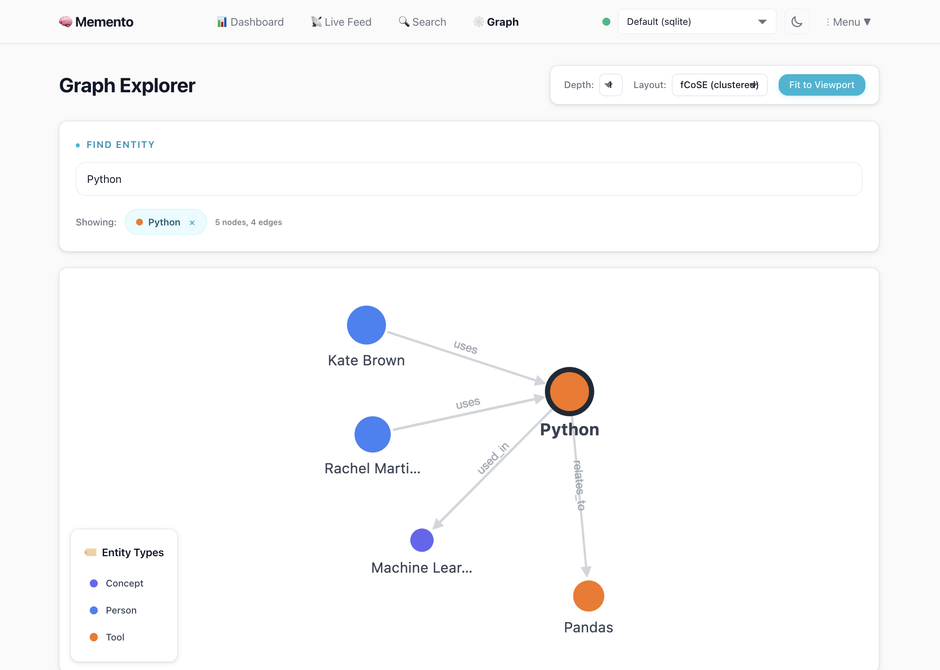
Memento is an MCP server that provides persistent memory for AI tools, allowing them to retain context and knowledge across sessions without requiring cloud services or API keys. It builds a knowledge graph from conversations, enabling AI to recall information seamlessly.
From the registry: Persistent memory for AI tools. Local-first knowledge graph with hybrid search.





Install & configure
Prerequisites
- required
- requiredClone and launchClone the repo and run launch script which builds binary
$ git clone https://github.com/scrypster/memento.git && cd memento && ./launch.sh
Install in your client
Paste into the AI you're chatting with — it will figure out the rest
Please install the `memento` MCP server into my current AI client (that's you).

Required prerequisites (do these first if not already done):
- **Docker or Go+Node+Ollama** — Docker (recommended) or Go 1.23+, Node.js 18+, Ollama (https://docker.com)
- **Clone and launch** — Clone the repo and run launch script which builds binary Run: `git clone https://github.com/scrypster/memento.git && cd memento && ./launch.sh`

Canonical MCP server config (stdio transport):
- command: `memento-mcp`
- args: []
- optional environment variables:
  - `MEMENTO_DATA_PATH`: SQLite database directory (example: `./data`)
  - `MEMENTO_STORAGE_ENGINE`: Storage engine: sqlite or postgres (example: `sqlite`)
  - `MEMENTO_LLM_PROVIDER`: LLM provider (example: `ollama`)
  - `MEMENTO_OLLAMA_URL`: Ollama API endpoint (example: `http://localhost:11434`)
  - `MEMENTO_OLLAMA_MODEL`: Extraction model (example: `qwen2.5:7b`)
  - `MEMENTO_OPENAI_API_KEY`: OpenAI API key (example: `<your-api-key>`)
  - `MEMENTO_ANTHROPIC_API_KEY`: Anthropic API key (example: `<your-api-key>`)
  - `MEMENTO_USER`: User identifier for team setups (example: `alice`)

Note: Build from source via launch.sh. Binary path from pwd/memento-mcp.

Add this MCP server to my current client's config in the correct format for you. If you need secrets or credentials I haven't provided, ASK me — do not invent values or leave raw placeholders. After adding it, tell me how to verify the server is connected.
Note: Build from source via launch.sh. Binary path from pwd/memento-mcp.
Tools (20)
store_memory
Persist a decision or piece of context.
recall_memory
Retrieve memories by ID or natural-language query.
find_related
Hybrid search for related memories.
update_memory
Edit content or metadata of an existing memory.
forget_memory
Soft-delete or hard-delete a memory.
traverse_memory_graph
Follow entity relationships to discover connected memories.
detect_contradictions
Find conflicting relationships or temporal impossibilities.
explain_reasoning
Surface reasoning behind retrieved memories.
get_session_context
Retrieve recent memories grouped by topic.
update_memory_state
Move through memory lifecycle states.
evolve_memory
Create a new version of a memory that supersedes the old one.
consolidate_memories
Merge multiple related memories into one coherent record.
get_evolution_chain
View the full version history of a memory.
Environment variables
MEMENTO_USERrequiredSets the user for memory attribution.Prerequisites
- • Node.js 18+
Packages
ghcr.io/scrypster/memento:0.1.0
ocitransport: stdio
Details
- Language
- Go
- License
- MIT
- Released
- Feb 20, 2026
- Last commit
- Feb 20, 2026
- Registry name
- io.github.scrypster/memento