Adaptive Cards Mcp
by vikrantsingh01communityv2.3.0
31
6
An MCP server that helps AI assistants generate valid, accessible Adaptive Cards for Teams, Outlook, Copilot, and other Microsoft surfaces.
From the registry: Generate, validate, and optimize Adaptive Cards for Teams, Outlook, and Copilot.








Install & configure
Prerequisites
- required
Install in your client
Paste into the AI you're chatting with — it will figure out the rest
Please install the `adaptive-cards-mcp` MCP server into my current AI client (that's you).

Required prerequisites (do these first if not already done):
- **Install Node.js 18+** — Required for npx to run the adaptive-cards-mcp package. (https://nodejs.org)

Canonical MCP server config (stdio transport):
- command: `npx`
- args: ["adaptive-cards-mcp"]
- optional environment variables:
  - `TRANSPORT`: Transport mode: stdio (default) or sse. (example: `stdio`)
  - `PORT`: HTTP port when TRANSPORT=sse. (example: `3001`)
  - `MCP_API_KEY`: API key for HTTP auth when running SSE mode.
  - `ANTHROPIC_API_KEY`: Optional — only for standalone/library use without an MCP host LLM. (example: `<your-anthropic-api-key>`)
  - `OPENAI_API_KEY`: Optional — only for standalone/library use without an MCP host LLM. (example: `<your-openai-api-key>`)
  - `MCP_TELEMETRY`: Opt-in telemetry flag (default off). (example: `false`)

Note: No API key needed when used via an MCP host (Claude Code, Copilot, Cursor). LLM keys only matter for standalone/library mode.

Add this MCP server to my current client's config in the correct format for you. If you need secrets or credentials I haven't provided, ASK me — do not invent values or leave raw placeholders. After adding it, tell me how to verify the server is connected.
Note: No API key needed when used via an MCP host (Claude Code, Copilot, Cursor). LLM keys only matter for standalone/library mode.
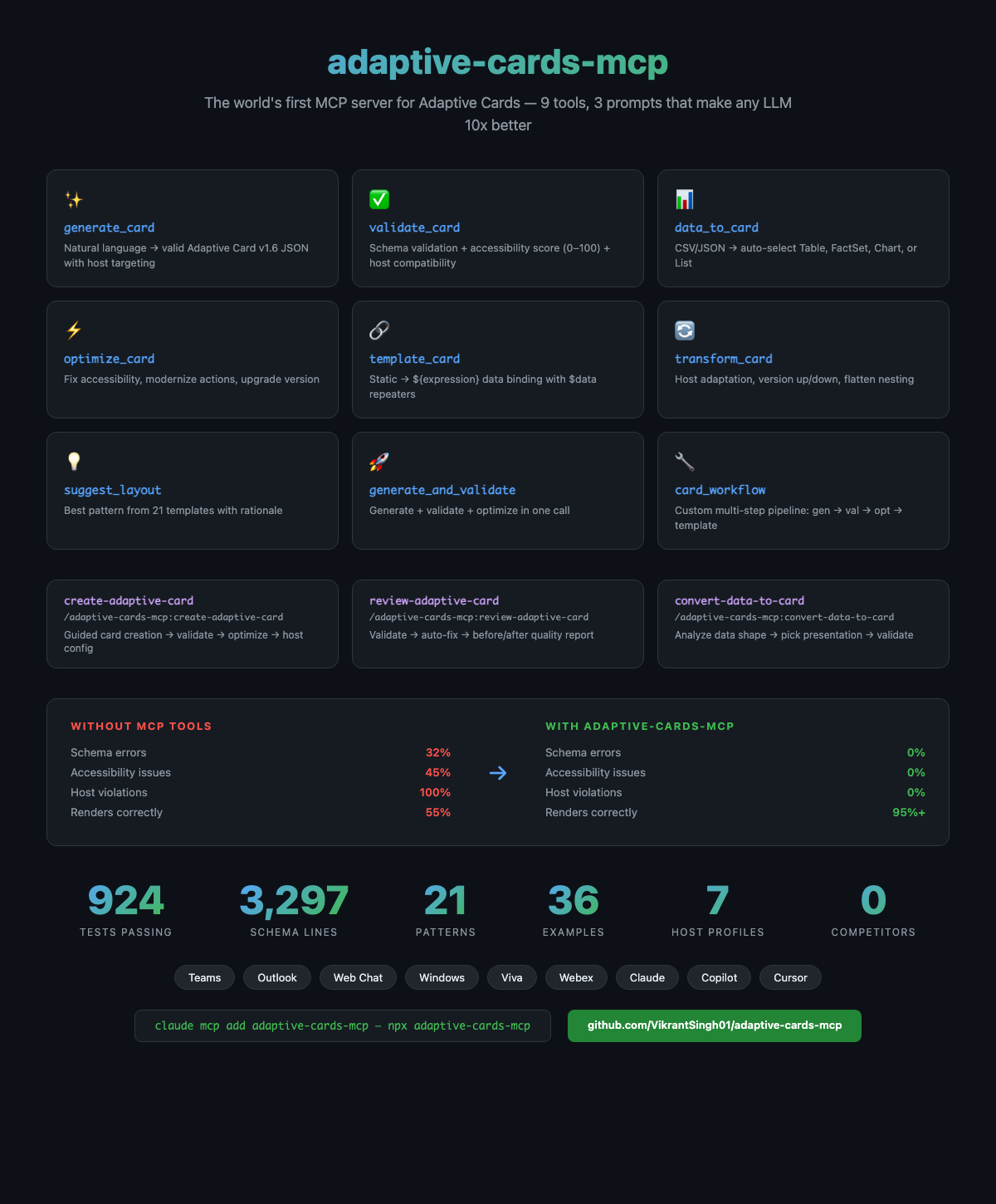
Tools (9)
generate_card
Natural language / data → valid Adaptive Card v1.6 JSON
validate_card
Schema validation + accessibility score + host compatibility + suggested fixes
data_to_card
Auto-select Table / FactSet / Chart / List from data shape
optimize_card
Improve accessibility, performance, modernize actions
template_card
Static card → ${expression} data-bound template
transform_card
Version upgrade/downgrade, host-config adaptation
suggest_layout
Recommend best layout pattern for a description
generate_and_validate
Generate + validate + optionally optimize in one call
card_workflow
Multi-step pipeline: generate → optimize → template → transform
Environment variables
MCP_API_KEYrequiredAPI key for authentication when auth is enabledPrerequisites
- • python3
Packages
adaptive-cards-mcp
npmv2.3.0transport: stdio
Details
- Language
- TypeScript
- License
- MIT
- Released
- Mar 18, 2026
- Last commit
- Jun 20, 2026
- Registry name
- io.github.VikrantSingh01/adaptive-cards-mcp