Agentburn
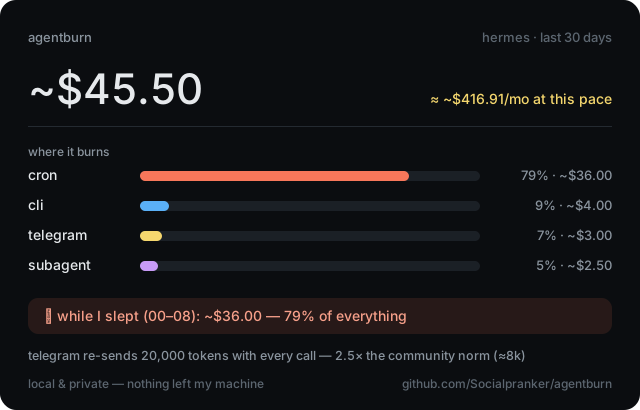
agentburn is a local, read-only CLI and MCP server that analyzes AI assistant log/database data to explain where token and cost burn comes from, including source breakdowns, overnight usage, loops, retries, and subagent activity. It supports assistants like Hermes Agent, OpenClaw, and Claude Code and can also generate fix recommendations, drift comparisons, and shareable burn reports.
From the registry: Local profiler for AI agents: burn by source, overnight bill, behavioral forensics, config fixes





Install & configure
Prerequisites
- optionalInstall uvInstall the uv Python package manager/runner to launch agentburn via uvx, which is the simplest portable path shown in the README.
https://docs.astral.sh/uv/$ install uv - optionalOr install agentburnAlternatively install the agentburn CLI so the `agentburn` command is available directly.
https://pypi.org/project/agentburn/$ pip install agentburn
Install in your client
Please install the `agentburn` MCP server into my current AI client (that's you).

Optional prerequisites:
- Install uv — Install the uv Python package manager/runner to launch agentburn via uvx, which is the simplest portable path shown in the README. Run: `install uv` (https://docs.astral.sh/uv/)
- Or install agentburn — Alternatively install the agentburn CLI so the `agentburn` command is available directly. Run: `pip install agentburn` (https://pypi.org/project/agentburn/)

Canonical MCP server config (stdio transport):
- command: `uvx`
- args: ["agentburn","mcp"]

Note: README states the MCP server is a zero-dependency stdio server exposed via `agentburn mcp`. It also shows a direct CLI form using command `agentburn` with args `["mcp"]`; the more portable path selected here is `uvx agentburn mcp`. No environment variables are documented for MCP startup.

Add this MCP server to my current client's config in the correct format for you. If you need secrets or credentials I haven't provided, ASK me — do not invent values or leave raw placeholders. After adding it, tell me how to verify the server is connected.Tools (7)
Packages
Details
- Language
- Python
- License
- MIT
- Released
- Jun 10, 2026
- Last commit
- Jun 22, 2026
- Registry name
- io.github.Socialpranker/agentburn
Categories
Related Servers
AI orchestration with hive-mind swarms, neural networks, and 87 MCP tools for enterprise dev.
Persistent codebase knowledge graph. Survives session restarts and context compaction.
A powerful toolkit for coding, providing semantic retrieval and editing capabilities.