Amazon_ads_mcp
by KuudoAIcommunityv0.2.6
64
18
This MCP server exposes a large set of Amazon Ads API operations through the Model Context Protocol, including campaign management, reporting, profiles, DSP, AMC, exports, and related advertising workflows. It supports multi-region Amazon Ads access and OAuth-based authentication for connecting a client to Amazon advertising accounts.
From the registry: Amazon Ads API MCP server for Amazon Advertising API


Install & configure
Prerequisites
- requiredInstall DockerDocker is the recommended way to run the Amazon Ads MCP server.https://docs.docker.com/get-started/
- requiredClone the repositoryThere is no supported prebuilt docker image to pull; build and run from this repository using the provided Dockerfile and docker-compose.yaml.
https://github.com/KuudoAI/amazon-ads-mcp$ git clone https://github.com/KuudoAI/amazon-ads-mcp.git && cd amazon-ads-mcp - requiredCreate environment fileCopy the example environment file and edit it with your Amazon Ads settings and port.
$ cp .env.example .env - requiredObtain Amazon Ads API credentials or partner tokenYou need either your own Amazon Ads API app credentials for direct OAuth, or an Openbridge partner token for token-based auth.https://advertising.amazon.com/API/docs/en-us/guides/get-started/overview
Install in your client
Paste into the AI you're chatting with — it will figure out the rest
Please install the `amazon_ads_mcp` MCP server into my current AI client (that's you).

Required prerequisites (do these first if not already done):
- **Install Docker** — Docker is the recommended way to run the Amazon Ads MCP server. (https://docs.docker.com/get-started/)
- **Clone the repository** — There is no supported prebuilt docker image to pull; build and run from this repository using the provided Dockerfile and docker-compose.yaml. Run: `git clone https://github.com/KuudoAI/amazon-ads-mcp.git && cd amazon-ads-mcp` (https://github.com/KuudoAI/amazon-ads-mcp)
- **Create environment file** — Copy the example environment file and edit it with your Amazon Ads settings and port. Run: `cp .env.example .env`
- **Obtain Amazon Ads API credentials or partner token** — You need either your own Amazon Ads API app credentials for direct OAuth, or an Openbridge partner token for token-based auth. (https://advertising.amazon.com/API/docs/en-us/guides/get-started/overview)

Canonical MCP server config (HTTP transport):
- url: `http://localhost:<port>/mcp/`
- headers:
  - `Authorization`: `Bearer <your-openbridge-token>`

Note: The MCP server itself is intended to be self-hosted over HTTP, typically via Docker Compose. Start it with `docker compose up -d`; `.env.example` uses `PORT=9080`, so the default MCP endpoint is `http://localhost:9080/mcp/`. For direct Amazon OAuth, set `AUTH_METHOD=direct` in `.env` and provide `AMAZON_AD_API_CLIENT_ID` and `AMAZON_AD_API_CLIENT_SECRET`; no HTTP Authorization header is required for the MCP client in that mode. For Openbridge token auth, set `AUTH_METHOD=openbridge` on the server and have the client send `Authorization: Bearer <your-openbridge-token>`. Relevant server environment variables described in the README include: `PORT` (optional, HTTP listen port; default example 9080), `AUTH_METHOD` (required; `direct` or `openbridge`), `AMAZON_AD_API_CLIENT_ID` (required when `AUTH_METHOD=direct`), `AMAZON_AD_API_CLIENT_SECRET` (required when `AUTH_METHOD=direct`), `AMAZON_AD_API_PACKAGES` (optional package list, but practically required to enable the desired tool surface), `AMAZON_ADS_DOWNLOAD_DIR` (optional download storage directory), and `AMAZON_ADS_DOWNLOAD_AUTH_TOKEN` (optional bearer token required for `/downloads` if you enable download auth).

Add this MCP server to my current client's config in the correct format for you. If you need secrets or credentials I haven't provided, ASK me — do not invent values or leave raw placeholders. After adding it, tell me how to verify the server is connected.
Note: The MCP server itself is intended to be self-hosted over HTTP, typically via Docker Compose. Start it with `docker compose up -d`; `.env.example` uses `PORT=9080`, so the default MCP endpoint is `http://localhost:9080/mcp/`. For direct Amazon OAuth, set `AUTH_METHOD=direct` in `.env` and provide `AMAZON_AD_API_CLIENT_ID` and `AMAZON_AD_API_CLIENT_SECRET`; no HTTP Authorization header is required for the MCP client in that mode. For Openbridge token auth, set `AUTH_METHOD=openbridge` on the server and have the client send `Authorization: Bearer <your-openbridge-token>`. Relevant server environment variables described in the README include: `PORT` (optional, HTTP listen port; default example 9080), `AUTH_METHOD` (required; `direct` or `openbridge`), `AMAZON_AD_API_CLIENT_ID` (required when `AUTH_METHOD=direct`), `AMAZON_AD_API_CLIENT_SECRET` (required when `AUTH_METHOD=direct`), `AMAZON_AD_API_PACKAGES` (optional package list, but practically required to enable the desired tool surface), `AMAZON_ADS_DOWNLOAD_DIR` (optional download storage directory), and `AMAZON_ADS_DOWNLOAD_AUTH_TOKEN` (optional bearer token required for `/downloads` if you enable download auth).
Tools (3)
set_active_region
Sets the active Amazon Ads region for the session (na, eu, or fe).
start_oauth_flow
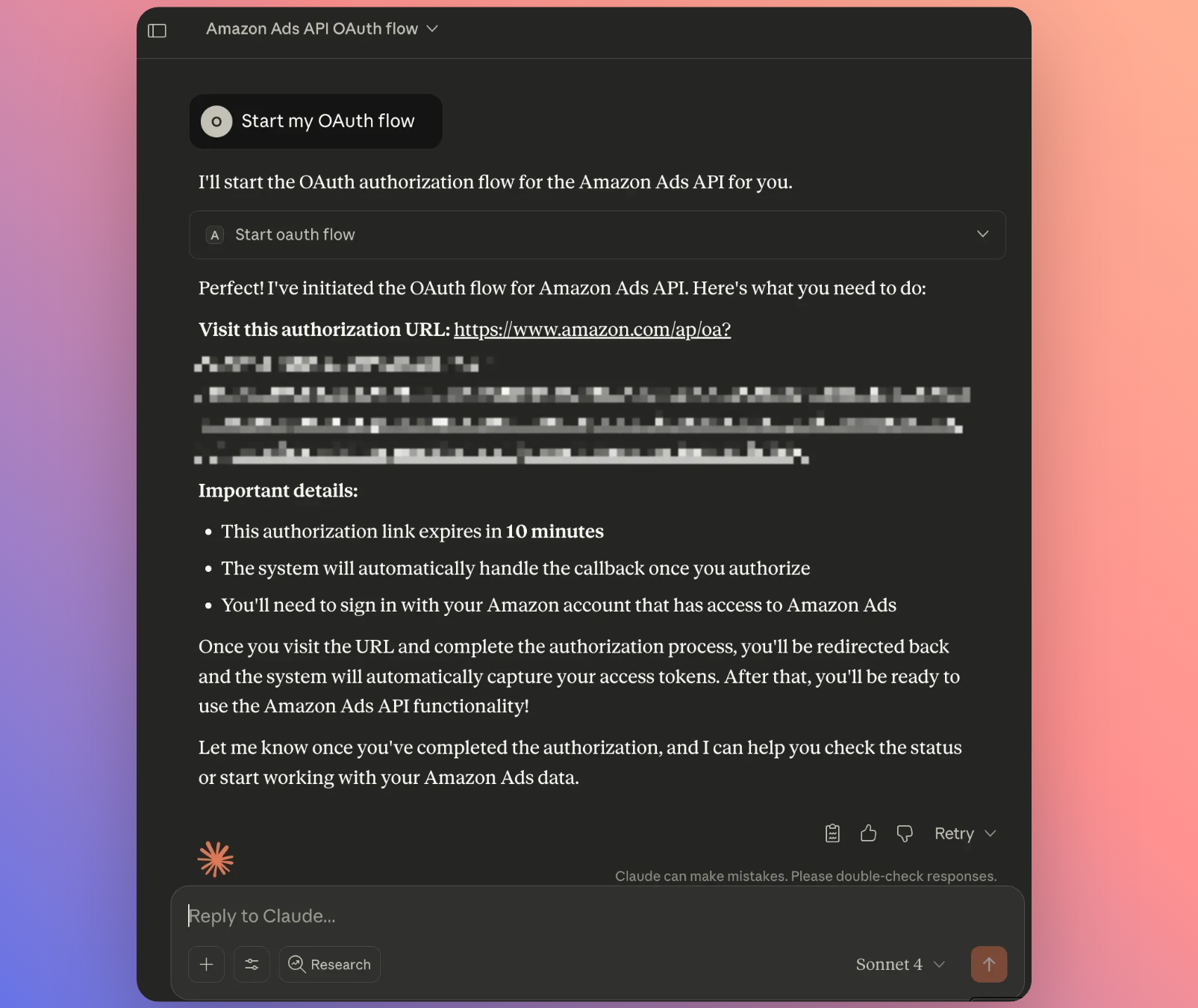
Starts the OAuth authorization flow to connect the server to Amazon Ads.
check_oauth_status
Checks whether the MCP server is currently authorized with Amazon Ads.
Environment variables
AMAZON_AD_API_CLIENT_IDrequiredAmazon Ads API client ID used for OAuth authentication.AMAZON_AD_API_CLIENT_SECRETrequiredAmazon Ads API client secret used for OAuth authentication.Prerequisites
- • Python 3.10+
Packages
amazon-ads-mcp
pypiv0.2.6transport: stdio
Details
- Language
- Python
- License
- MIT
- Released
- Feb 3, 2026
- Last commit
- Jul 27, 2026
- Registry name
- io.github.KuudoAI/amazon_ads_mcp