Claude Webcache
by theYahiacommunityv0.1.5
1
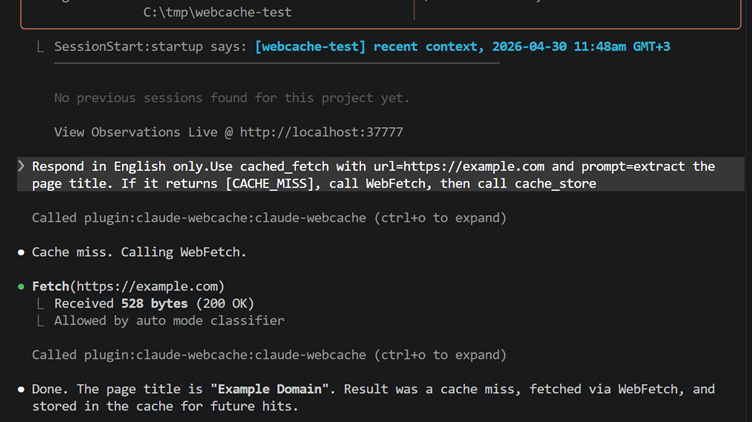
An MCP server for Claude Code that persistently caches WebFetch results across sessions in a local SQLite database. It provides tools to fetch from cache, store results, inspect cache stats, and list recent cached URLs.
From the registry: Cross-session WebFetch cache for Claude Code. Unlimited TTL by default, SQLite, MCP plugin.




Install & configure
Prerequisites
- optionalInstall Claude Webcache via Claude plugin marketplaceRecommended install path for Claude environments. This is a Claude plugin install, not a generic MCP command/args configuration.
https://github.com/theYahia/claude-webcache$ claude plugin marketplace add theYahia/claude-webcache && claude plugin install claude-webcache@theyahia - optionalInstall Node.js 22.5+Required only for the npm global installation path because the package uses the built-in node:sqlite module.https://nodejs.org/
- optionalInstall package globally with npmPortable fallback installation path that exposes the MCP server script locally.
https://www.npmjs.com/package/@theyahia/claude-webcache$ npm i -g @theyahia/claude-webcache
Install in your client
Paste into the AI you're chatting with — it will figure out the rest
Please install the `claude-webcache` MCP server into my current AI client (that's you).

Optional prerequisites:
- Install Claude Webcache via Claude plugin marketplace — Recommended install path for Claude environments. This is a Claude plugin install, not a generic MCP command/args configuration. Run: `claude plugin marketplace add theYahia/claude-webcache && claude plugin install claude-webcache@theyahia` (https://github.com/theYahia/claude-webcache)
- Install Node.js 22.5+ — Required only for the npm global installation path because the package uses the built-in node:sqlite module. (https://nodejs.org/)
- Install package globally with npm — Portable fallback installation path that exposes the MCP server script locally. Run: `npm i -g @theyahia/claude-webcache` (https://www.npmjs.com/package/@theyahia/claude-webcache)

Canonical MCP server config (stdio transport):
- command: `node`
- args: ["<path-from-npm-root-g>/claude-webcache/scripts/mcp-server.cjs"]
- optional environment variables:
  - `WEBCACHE_TTL_DAYS`: Optional cache expiry in days. By default the cache TTL is unlimited. (example: `<number-of-days>`)

Note: The README primarily recommends installing this as a Claude plugin, which does not provide a generic MCP command/args/env snippet. The canonical stdio config here comes from the npm global fallback. Replace <path-from-npm-root-g> with the global npm module path (for example, derived from `npm root -g`). The README also documents Claude-specific hooks for SessionStart and PostToolUse behavior, but those are client/plugin features rather than canonical MCP server config.

Add this MCP server to my current client's config in the correct format for you. If you need secrets or credentials I haven't provided, ASK me — do not invent values or leave raw placeholders. After adding it, tell me how to verify the server is connected.
Note: The README primarily recommends installing this as a Claude plugin, which does not provide a generic MCP command/args/env snippet. The canonical stdio config here comes from the npm global fallback. Replace <path-from-npm-root-g> with the global npm module path (for example, derived from `npm root -g`). The README also documents Claude-specific hooks for SessionStart and PostToolUse behavior, but those are client/plugin features rather than canonical MCP server config.
Tools (4)
cached_fetch
Returns cached text for a given URL and prompt, or a cache miss marker if no exact match exists.
cache_store
Stores a fetched output for a URL and prompt in the cache.
cache_stats
Returns cache totals, hit count, and last fetch information.
cache_list
Lists recent cached URLs, optionally limited by count.
Environment variables
WEBCACHE_TTL_DAYSSets the cache expiration period in days; otherwise cache entries do not expire.Packages
@theyahia/claude-webcache
npmv0.1.5transport: stdio
Details
- Language
- JavaScript
- License
- MIT
- Released
- May 1, 2026
- Last commit
- Jun 23, 2026
- Registry name
- io.github.theYahia/claude-webcache