Comfyui Mcp Server
by MetaBrain-Labscommunityv1.0.1
9
1
ComfyUI-MCP-Server is a server implementation based on the Model Context Protocol (MCP) that transforms user-defined workflows in ComfyUI into parameter-configurable MCP tools for AI agents to use directly.
From the registry: MCP Server that transforms ComfyUI workflows into AI-callable tools for MCP Host










Install & configure
Prerequisites
- requiredInstall ComfyUIComfyUI 0.9.1+ must be installed and running.https://github.com/comfyanonymous/ComfyUI
- requiredClone and install dependenciesClone the repo and install dependencies (Node.js 18+).
$ git clone https://github.com/MetaBrain-Labs/ComfyUI-MCP-Server-TypeScript.git && cd ComfyUI-MCP-Server-TypeScript && npm install
Install in your client
Paste into the AI you're chatting with — it will figure out the rest
Please install the `comfyui-mcp-server` MCP server into my current AI client (that's you).

Required prerequisites (do these first if not already done):
- **Install ComfyUI** — ComfyUI 0.9.1+ must be installed and running. (https://github.com/comfyanonymous/ComfyUI)
- **Clone and install dependencies** — Clone the repo and install dependencies (Node.js 18+). Run: `git clone https://github.com/MetaBrain-Labs/ComfyUI-MCP-Server-TypeScript.git && cd ComfyUI-MCP-Server-TypeScript && npm install`

Canonical MCP server config (stdio transport):
- command: `npx`
- args: ["tsx","<path-to-ComfyUI-MCP-Server-TypeScript>"]
- required environment variables:
  - `COMFY_UI_SERVER_IP`: ComfyUI server URL. (example: `http://127.0.0.1:8188`)
- optional environment variables:
  - `LOCALE`: UI language (en or zh-CN). (example: `en`)
  - `MCP_SERVER_URL`: MCP server URL (HTTP transport). (example: `http://127.0.0.1:8189/mcp`)
  - `MCP_SERVER_IP`: MCP server bind IP. (example: `127.0.0.1`)
  - `MCP_SERVER_PORT`: MCP server port. (example: `8189`)
  - `COMFY_UI_SERVER_HOST`: ComfyUI server host. (example: `127.0.0.1`)
  - `COMFY_UI_SERVER_PORT`: ComfyUI server port. (example: `8188`)
  - `SYNC_MODE`: Workflow sync mode: timed, manual, or push. Use 'manual' for cloud ComfyUI. (example: `timed`)
  - `SYNC_POLL_INTERVAL_SECONDS`: Poll interval for timed sync mode. (example: `3`)
  - `SYNC_EVENT_FALLBACK_INTERVAL_SECONDS`: Fallback interval for event-based sync. (example: `300`)
  - `ONDEMAND_REFRESH_COOLDOWN_SECONDS`: On-demand refresh cooldown seconds. (example: `3`)
  - `COMFY_UI_INSTALL_PATH`: Path to ComfyUI installation.
  - `WORKFLOW_NAME_REGEX`: Regex for workflow name extraction. (example: `^==(.+?)==$`)
  - `WORKFLOW_PARAM_REGEX`: Regex for workflow parameter extraction. (example: `^=>(.+)$`)
  - `LOG_LEVEL`: Log level. (example: `INFO`)

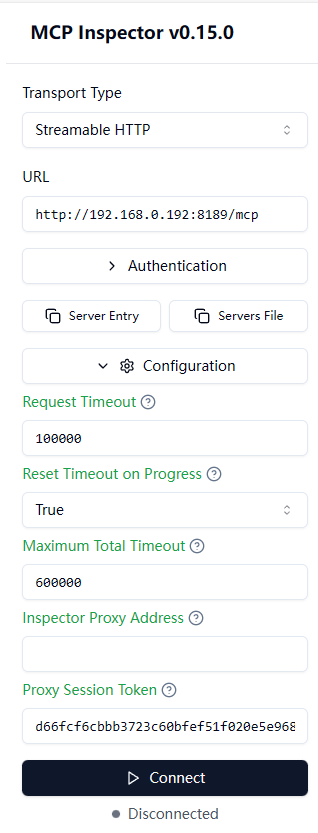
Note: Also supports Streamable HTTP transport at http://127.0.0.1:8189/mcp (start with 'npm run dev'). Python version at MetaBrain-Labs/ComfyUI-MCP-Server-Python.

Add this MCP server to my current client's config in the correct format for you. If you need secrets or credentials I haven't provided, ASK me — do not invent values or leave raw placeholders. After adding it, tell me how to verify the server is connected.
Note: Also supports Streamable HTTP transport at http://127.0.0.1:8189/mcp (start with 'npm run dev'). Python version at MetaBrain-Labs/ComfyUI-MCP-Server-Python.
Tools (13)
get_core_manual
Retrieves the core manual of the project, essential for initializing or calling other tools.
get_workflows_catalog
Retrieves a list of all workflows supported by the current server.
get_workflow_API
Reads the complete underlying topology JSON of a target workflow.
mount_workflow
Extracts the supported interactive parameter schema for a target generation task.
queue_prompt
Submits a task prompt to the queue.
queue_custom_prompt
Submits a complete native ComfyUI API prompt JSON to the queue.
save_custom_workflow
Saves a custom parameterized workflow to the server's workflow directory.
save_task_assets
Retrieves the execution history of a specified task and saves the generated multimedia assets.
interrupt_prompt
Cancels the computation process of a specific prompt ID.
get_prompt_result
Retrieves the snapshot of a specific prompt execution and extracts the generated media files.
get_system_status
Collects memory, GPU memory, and Python runtime metrics for troubleshooting.
list_models
Polls the local disk model storage area.
Environment variables
LOCALErequiredSets the language locale for the server.MCP_SERVER_URLrequiredSpecifies the URL for the MCP server.MCP_SERVER_IPrequiredDefines the IP address for the MCP server.MCP_SERVER_PORTrequiredSets the port for the MCP server.COMFY_UI_SERVER_IPrequiredDefines the IP address for the ComfyUI server.COMFY_UI_SERVER_HOSTrequiredSpecifies the host for the ComfyUI server.COMFY_UI_SERVER_PORTrequiredSets the port for the ComfyUI server.Prerequisites
- • Node.js 18+
Packages
@metabrain-labs/comfyui-mcp-server
npmv1.0.1transport: stdio
Details
- Language
- TypeScript
- License
- MIT
- Released
- Apr 2, 2026
- Last commit
- Mar 20, 2026
- Registry name
- io.github.MetaBrain-Labs/comfyui-mcp-server