Datawrapper Mcp
by palewirecommunityv0.2.3
47
10
This MCP server allows users to create Datawrapper charts using AI assistants by providing data and requesting specific chart types and configurations.
From the registry: A Model Context Protocol (MCP) server and app for creating Datawrapper charts using AI assistants



Install & configure
Prerequisites
- required
- requiredCreate API tokenGenerate an API token from the Datawrapper account settings.https://app.datawrapper.de/account/api-tokens
- requiredPython 3.10+Python 3.10 or higher is required.
Install in your client
Paste into the AI you're chatting with — it will figure out the rest
Please install the `datawrapper-mcp` MCP server into my current AI client (that's you).

Required prerequisites (do these first if not already done):
- **Datawrapper account** — Sign up for a Datawrapper account. (https://datawrapper.de/signup/)
- **Create API token** — Generate an API token from the Datawrapper account settings. (https://app.datawrapper.de/account/api-tokens)
- **Python 3.10+** — Python 3.10 or higher is required.

Canonical MCP server config (stdio transport):
- command: `uvx`
- args: ["datawrapper-mcp"]
- required environment variables:
  - `DATAWRAPPER_ACCESS_TOKEN`: Datawrapper API token (example: `<your_datawrapper_token>`)

Note: Also supports streamable-http transport with Authorization: Bearer header for hosted deployments.

Add this MCP server to my current client's config in the correct format for you. If you need secrets or credentials I haven't provided, ASK me — do not invent values or leave raw placeholders. After adding it, tell me how to verify the server is connected.
Note: Also supports streamable-http transport with Authorization: Bearer header for hosted deployments.
Tools (8)
list_chart_types
List available chart types with descriptions
get_chart_schema
Get the full configuration schema for a chart type
create_chart
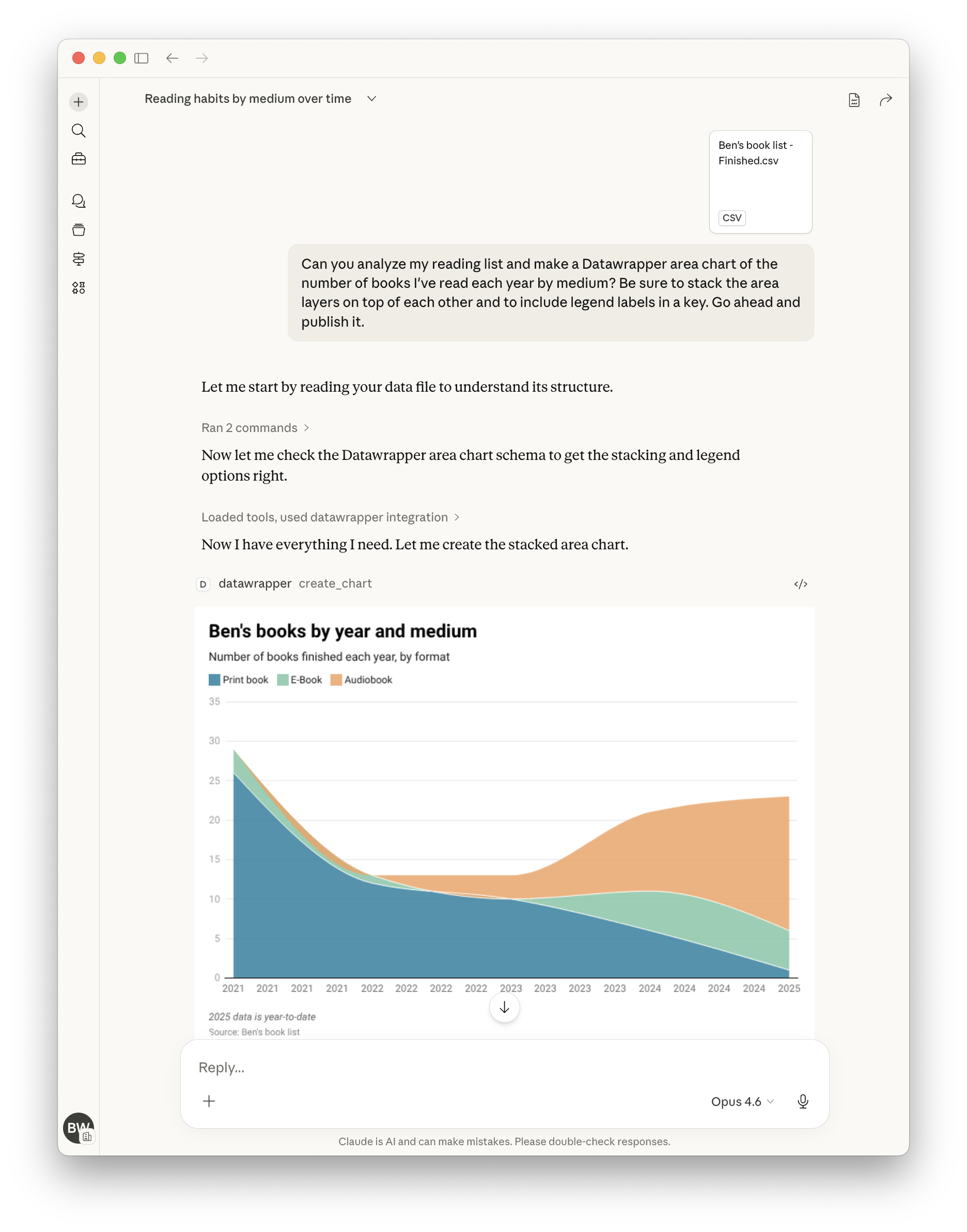
Create a new chart with data and configuration
update_chart
Update an existing chart's data or styling
publish_chart
Publish a chart to make it publicly accessible
get_chart
Retrieve a chart's configuration and metadata
delete_chart
Permanently delete a chart
export_chart_png
Export a chart as a PNG image
Environment variables
DATAWRAPPER_ACCESS_TOKENrequiredYour Datawrapper API token for authenticationPrerequisites
- • Python 3.10
Packages
datawrapper-mcp
pypiv0.2.3transport: stdio
Details
- Language
- Python
- License
- MIT
- Released
- Mar 27, 2026
- Last commit
- Jul 1, 2026
- Registry name
- io.github.palewire/datawrapper-mcp
Categories
Related Servers
Labelhead Artist Momentum
Trending hip-hop artist momentum scores across four cultural dimensions.
73.6k
PostHog MCP Server
Official PostHog MCP Server for product analytics, feature flags, experiments, and more.
35.5k
Openmetadata Mcp
Official OpenMetadata MCP: governed context and business semantics for AI assistants and agents.
14.5k