Dazzle
by dazzle-labscommunityv0.7.1
1
Dazzle is a CLI and MCP server that provides cloud stages for AI agents and live streaming, allowing users to create and manage streaming environments easily.
From the registry: Cloud stages for AI agents and live streaming. Create, manage, and broadcast content.
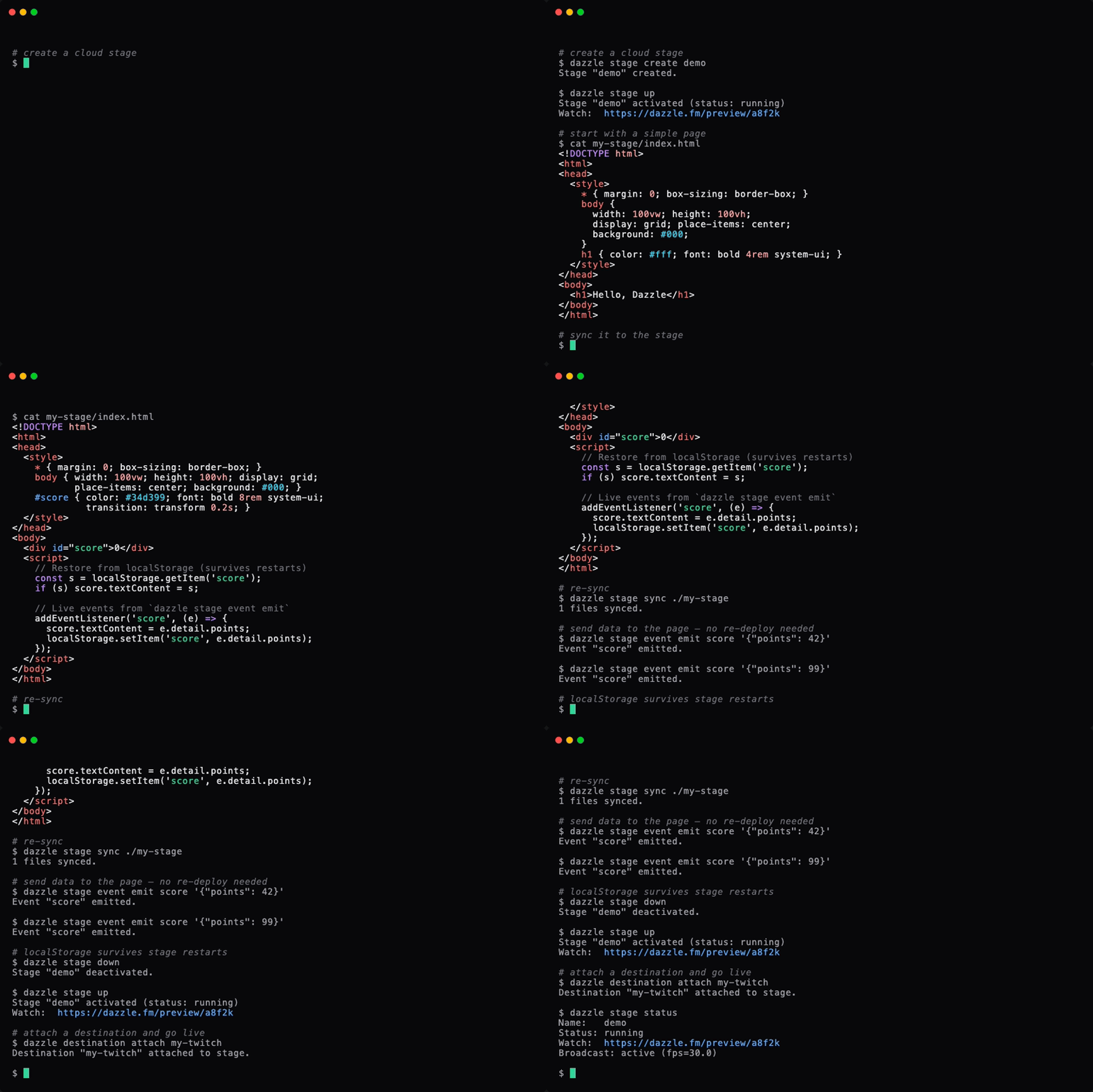
Install & configure
Prerequisites
- requiredInstall Dazzle CLIInstall the dazzle binary via install script, go install, or pre-built releases.
https://github.com/dazzle-labs/cli/releases$ curl -sSL https://dazzle.fm/install.sh | sh
Install in your client
Paste into the AI you're chatting with — it will figure out the rest
Please install the `dazzle` MCP server into my current AI client (that's you).

Required prerequisites (do these first if not already done):
- **Install Dazzle CLI** — Install the dazzle binary via install script, go install, or pre-built releases. Run: `curl -sSL https://dazzle.fm/install.sh | sh` (https://github.com/dazzle-labs/cli/releases)

Canonical MCP server config (stdio transport):
- command: `dazzle`
- args: ["mcp"]
- optional environment variables:
  - `DAZZLE_API_KEY`: API key (for headless/CI; otherwise run `dazzle login`) (example: `dzl_<token>`)
  - `DAZZLE_API_URL`: Dazzle API base URL (example: `https://dazzle.fm`)
  - `DAZZLE_STAGE`: Default stage name or ID (example: `my-stage`)

Note: MCP server starts without credentials; agents can run `cli ["login"]` to authenticate.

Add this MCP server to my current client's config in the correct format for you. If you need secrets or credentials I haven't provided, ASK me — do not invent values or leave raw placeholders. After adding it, tell me how to verify the server is connected.
Note: MCP server starts without credentials; agents can run `cli ["login"]` to authenticate.
Tools (8)
cli
Run a dazzle CLI command. Use ['--help'] to discover available commands. Output is JSON.
edit_file
Edit a file in the stage workspace by exact string replacement.
guide
Get the complete Dazzle reference — getting started, CLI commands, content capabilities, and streaming setup.
list_files
List all files in the stage workspace.
read_file
Read a file from the stage workspace.
screenshot
Capture a screenshot of the stage's current browser output.
sync
Sync the stage workspace to the live stage.
write_file
Write a file to the stage workspace.
Environment variables
DAZZLE_API_KEYrequiredUsed for authentication in headless/CI environments.Packages
@dazzle-labs/cli
npmv0.7.1transport: stdio
Details
- Language
- Go
- License
- NOASSERTION
- Released
- Apr 4, 2026
- Last commit
- Apr 4, 2026
- Registry name
- io.github.dazzle-labs/dazzle
Categories
Related Servers
Mcp
Real-time Kubernetes network traffic visibility and API analysis for HTTP, gRPC, Redis, Kafka, DNS.
12.0k
Firebase Mcp
Gives AI development tools Firebase-specific capabilities and expertise.
4.4k
Azure MCP Server
All Azure MCP tools to create a seamless connection between AI agents and Azure services.
3.5k