Devtime
by Shakargycommunityv0.4.0
1
1
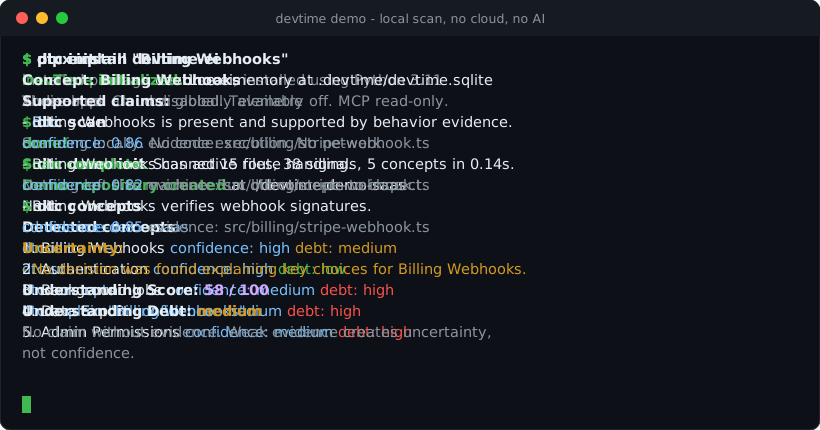
DevTime is a local-first repository analysis tool that scans code, tests, configs, routes, and decisions to infer supported concepts and link claims to file evidence. It also provides a read-only MCP server for agents to list concepts, explain concepts, build context packs, and verify claims with explicit uncertainty.
From the registry: Local-first, read-only MCP server for evidence-backed repository memory.
Install & configure
Prerequisites
- requiredInstall Python 3.11+DevTime requires Python 3.11 or newer.
- requiredInstall gitgit is required by DevTime.
- optionalInstall pipxRecommended so the dtc command is available on your PATH in an isolated environment.
https://pipx.pypa.io/$ pipx install "devtime-ei[mcp]"
Install in your client
Paste into the AI you're chatting with — it will figure out the rest
Please install the `devtime` MCP server into my current AI client (that's you).

Required prerequisites (do these first if not already done):
- **Install Python 3.11+** — DevTime requires Python 3.11 or newer.
- **Install git** — git is required by DevTime.

Optional prerequisites:
- Install pipx — Recommended so the dtc command is available on your PATH in an isolated environment. Run: `pipx install "devtime-ei[mcp]"` (https://pipx.pypa.io/)

Canonical MCP server config (stdio transport):
- command: `dtc`
- args: ["mcp","start"]

Note: Prefer installing MCP support via pipx: `pipx install "devtime-ei[mcp]"`. Before using the MCP server in a repository, initialize and scan it with `dtc init` and `dtc scan`. The server is local stdio only, read-only, with no network listener.

Add this MCP server to my current client's config in the correct format for you. If you need secrets or credentials I haven't provided, ASK me — do not invent values or leave raw placeholders. After adding it, tell me how to verify the server is connected.
Note: Prefer installing MCP support via pipx: `pipx install "devtime-ei[mcp]"`. Before using the MCP server in a repository, initialize and scan it with `dtc init` and `dtc scan`. The server is local stdio only, read-only, with no network listener.
Tools (4)
list_concepts
List detected concepts with confidence and understanding debt.
explain_concept
Explain a concept with claims, evidence, confidence, and uncertainty.
get_context_pack
Return a governed context pack with guidance, tests to run, and do-not-change paths.
verify_claim
Check whether a repository claim is supported, contradicted, stale, or unknown based on evidence.
Prerequisites
- • Python >= 3.11
Demos
Packages
devtime-ei
pypiv0.4.0transport: stdio
Details
- Language
- Python
- License
- Apache-2.0
- Released
- Jul 10, 2026
- Last commit
- Jul 10, 2026
- Registry name
- io.github.Shakargy/devtime