Dynatrace Managed Mcp
by dynatrace-osscommunityv0.5.3
20
6
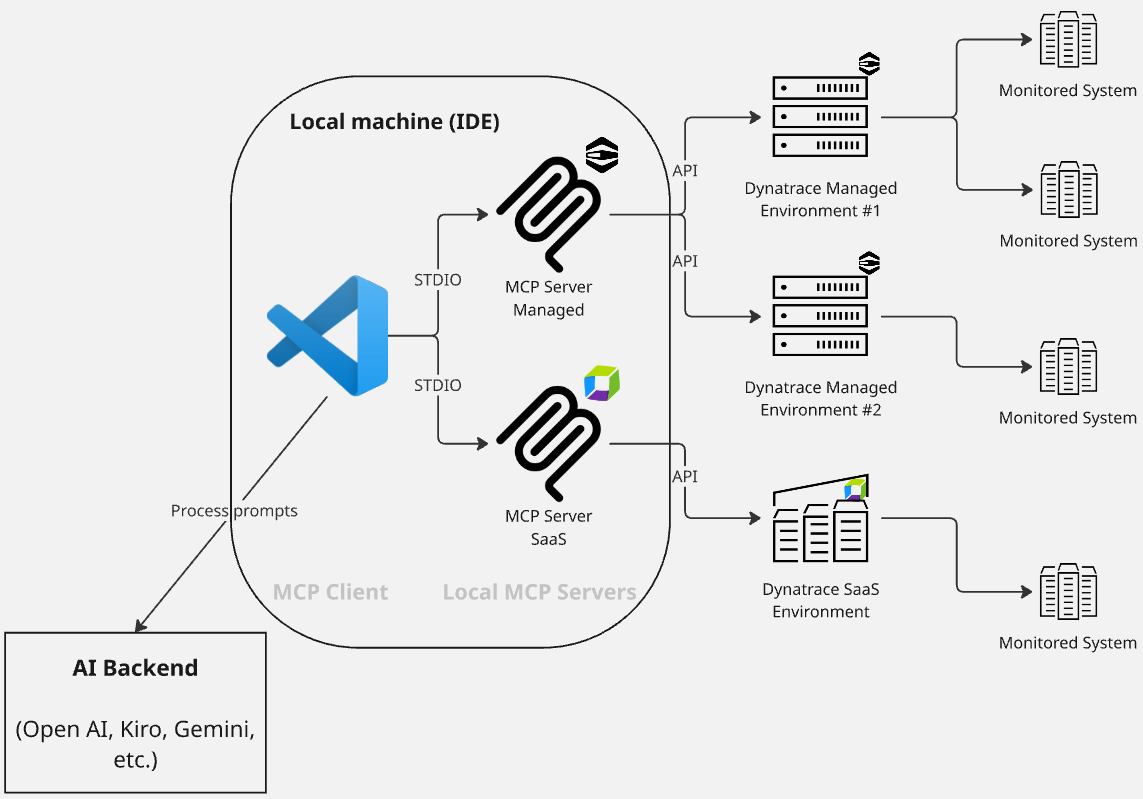
The Dynatrace Managed MCP server allows AI Assistants to interact with self-hosted Dynatrace Managed deployments, providing observability data for AI-assisted workflows. It supports both local and remote modes for flexible deployment options.
From the registry: MCP server for Dynatrace Managed to access logs, events, and metrics.


Install & configure
Prerequisites
- requiredCreate Dynatrace Managed API tokenIn your Dynatrace Managed environment, create an API token with the scopes required by the MCP tools (see project docs).https://www.dynatrace.com/support/help/shortlink/token
- requiredWrite a dt-config.yamlCreate a Dynatrace environment config file that uses ${TOKEN_NAME} interpolation so it can be committed without secrets.
Install in your client
Paste into the AI you're chatting with — it will figure out the rest
Please install the `dynatrace-managed-mcp` MCP server into my current AI client (that's you).

Required prerequisites (do these first if not already done):
- **Create Dynatrace Managed API token** — In your Dynatrace Managed environment, create an API token with the scopes required by the MCP tools (see project docs). (https://www.dynatrace.com/support/help/shortlink/token)
- **Write a dt-config.yaml** — Create a Dynatrace environment config file that uses ${TOKEN_NAME} interpolation so it can be committed without secrets.

Canonical MCP server config (stdio transport):
- command: `npx`
- args: ["-y","@dynatrace-oss/dynatrace-managed-mcp-server@latest"]
- optional environment variables:
  - `DT_CONFIG_FILE`: Path to a YAML/JSON config file listing your Dynatrace Managed environments. (example: `./dt-config.yaml`)
  - `DT_ENVIRONMENT_CONFIGS`: Alternative to DT_CONFIG_FILE — a JSON string describing environments. (example: `<your-dt-environment-configs-json>`)
  - `LOG_LEVEL`: Log level (default info). (example: `info`)

Note: Dynatrace Managed (self-hosted) MCP server. For Dynatrace SaaS use the separate dynatrace-mcp package. Tokens are typically injected via ${TOKEN_NAME} interpolation inside the config file.

Add this MCP server to my current client's config in the correct format for you. If you need secrets or credentials I haven't provided, ASK me — do not invent values or leave raw placeholders. After adding it, tell me how to verify the server is connected.
Note: Dynatrace Managed (self-hosted) MCP server. For Dynatrace SaaS use the separate dynatrace-mcp package. Tokens are typically injected via ${TOKEN_NAME} interpolation inside the config file.
Environment variables
DT_PROD_TOKENrequiredAPI token for production environment access.DT_STAGING_TOKENrequiredAPI token for staging environment access.DT_CONFIG_FILErequiredPath to the configuration file for the MCP server.Packages
@dynatrace-oss/dynatrace-managed-mcp-server
npmv0.5.3transport: stdio
Details
- Language
- TypeScript
- License
- Apache-2.0
- Released
- Jan 27, 2026
- Last commit
- May 11, 2026
- Registry name
- io.github.dynatrace-oss/dynatrace-managed-mcp