Filesystem Server
by Oncorporationcommunityv0.1.3
5
3
This MCP server provides code-workspace functionality for Visual Studio 2022+ by allowing AI agents selective access to project folders and files.
From the registry: Secure filesystem access for AI agents with configurable directory and file type restrictions
Install & configure
Prerequisites
- requiredInstall vs-filesystem-mcp-serverInstall the Python package from PyPI
https://pypi.org/project/vs-filesystem-mcp-server/$ pip install vs-filesystem-mcp-server
Install in your client
Paste into the AI you're chatting with — it will figure out the rest
Please install the `filesystem-server` MCP server into my current AI client (that's you).

Required prerequisites (do these first if not already done):
- **Install vs-filesystem-mcp-server** — Install the Python package from PyPI Run: `pip install vs-filesystem-mcp-server` (https://pypi.org/project/vs-filesystem-mcp-server/)

Canonical MCP server config (stdio transport):
- command: `vs-filesystem-mcp-server`
- args: []

Note: Configured via config.json or CLI args (--allowed-dirs, --allowed-extensions, --allow-write).

Add this MCP server to my current client's config in the correct format for you. If you need secrets or credentials I haven't provided, ASK me — do not invent values or leave raw placeholders. After adding it, tell me how to verify the server is connected.
Note: Configured via config.json or CLI args (--allowed-dirs, --allowed-extensions, --allow-write).
Tools (8)
init
Validates accessibility of configured directories and can optionally list a directory and/or read a file.
list_directory
Lists files and subdirectories in a given directory.
read_file
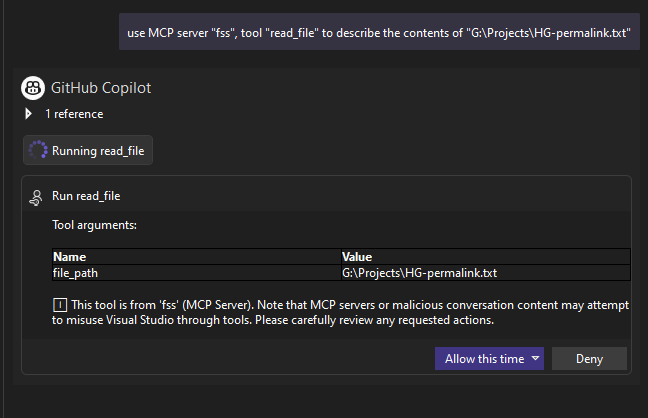
Reads the content of a specified file as text.
read_file_binary
Reads the content of a specified file as base64-encoded binary.
list_resources
Lists all resources in a directory in MCP resource format.
get_resource
Gets metadata and actions for a specific file or directory.
write_file
Writes text content to a specified file.
write_file_binary
Writes binary content from base64 to file.
Prerequisites
- • Python 3.10+
Packages
vs-filesystem-mcp-server
pypiv0.1.3transport: stdio
Details
- Language
- Python
- License
- Apache-2.0
- Released
- Mar 5, 2026
- Last commit
- Mar 5, 2026
- Registry name
- io.github.Oncorporation/filesystem-server