Infimium
by aryankumar06communityv0.1.6
6
Infimium is a local MCP server that indexes a codebase and local docs to provide semantic code search, dependency graph lookup, project memory, planning, and context handoff for AI agents. It can also optionally do web search and fetch URLs, while keeping indexing and embeddings local via Ollama and ChromaDB.
From the registry: Private context layer for AI agents: web, docs, code, deps, memory, and plans.


Install & configure
Prerequisites
- requiredInstall Node.js and npmNode.js and npm are required to run the Infimium package via npx and to use the doctor/index commands.
- requiredInstall DockerDocker is the recommended setup path and is used to run ChromaDB locally.
- requiredInstall OllamaOllama must be installed and running locally for embeddings.
- requiredPull the Ollama embedding modelInfimium requires the local Ollama embedding model nomic-embed-text.
$ ollama pull nomic-embed-text - requiredStart ChromaDBA local ChromaDB instance must be available, typically via Docker, before using the server.
$ docker compose up -d chromadb - requiredStart Ollama serverOllama must be running locally so Infimium can connect to it.
$ ollama serve - optionalOptionally obtain a Tinyfish search API keyNeeded only if you want the web_search tool. Other tools work without it.
Install in your client
Paste into the AI you're chatting with — it will figure out the rest
Please install the `infimium` MCP server into my current AI client (that's you).

Required prerequisites (do these first if not already done):
- **Install Node.js and npm** — Node.js and npm are required to run the Infimium package via npx and to use the doctor/index commands.
- **Install Docker** — Docker is the recommended setup path and is used to run ChromaDB locally.
- **Install Ollama** — Ollama must be installed and running locally for embeddings.
- **Pull the Ollama embedding model** — Infimium requires the local Ollama embedding model nomic-embed-text. Run: `ollama pull nomic-embed-text`
- **Start ChromaDB** — A local ChromaDB instance must be available, typically via Docker, before using the server. Run: `docker compose up -d chromadb`
- **Start Ollama server** — Ollama must be running locally so Infimium can connect to it. Run: `ollama serve`

Optional prerequisites:
- Optionally obtain a Tinyfish search API key — Needed only if you want the web_search tool. Other tools work without it.

Canonical MCP server config (stdio transport):
- command: `npx`
- args: ["infimium","serve"]
- required environment variables:
  - `CODEBASE_PATH`: Absolute path to the repository Infimium should index and serve. (example: `<absolute-path-to-your-repo>`)
  - `LOCAL_DOCS_PATH`: Path to local documentation to index. The README examples point to the repo docs directory. (example: `<absolute-path-to-your-repo-docs>`)
  - `CHROMADB_HOST`: URL of the local ChromaDB instance used for vector search. (example: `<your-chromadb-url>`)
  - `OLLAMA_HOST`: URL of the local Ollama instance used for embeddings. (example: `<your-ollama-url>`)
  - `SHELL_ALLOWLIST`: Comma-separated list of shell commands the shell tool may run. (example: `<comma-separated-allowed-commands>`)
- optional environment variables:
  - `SEARCH_PROVIDER`: Search provider for the web_search tool. README shows tinyfish as the supported example. (example: `<your-search-provider>`)
  - `SEARCH_API_KEY`: API key for the configured search provider. Required only if using web_search. (example: `<your-search-api-key>`)
  - `INFIMIUM_AUTO_INDEX`: Enable automatic indexing while the MCP server runs. (example: `<true-or-false>`)

Note: Preferred portable config uses npx rather than cloning the repo. The README's setup script also creates a .env, starts ChromaDB and Ollama, pulls the embedding model, indexes the repo, and prints MCP config. If the agent runs from a different workspace than the MCP server, pass project_path once so Infimium can remember the active project.

Add this MCP server to my current client's config in the correct format for you. If you need secrets or credentials I haven't provided, ASK me — do not invent values or leave raw placeholders. After adding it, tell me how to verify the server is connected.
Note: Preferred portable config uses npx rather than cloning the repo. The README's setup script also creates a .env, starts ChromaDB and Ollama, pulls the embedding model, indexes the repo, and prints MCP config. If the agent runs from a different workspace than the MCP server, pass project_path once so Infimium can remember the active project.
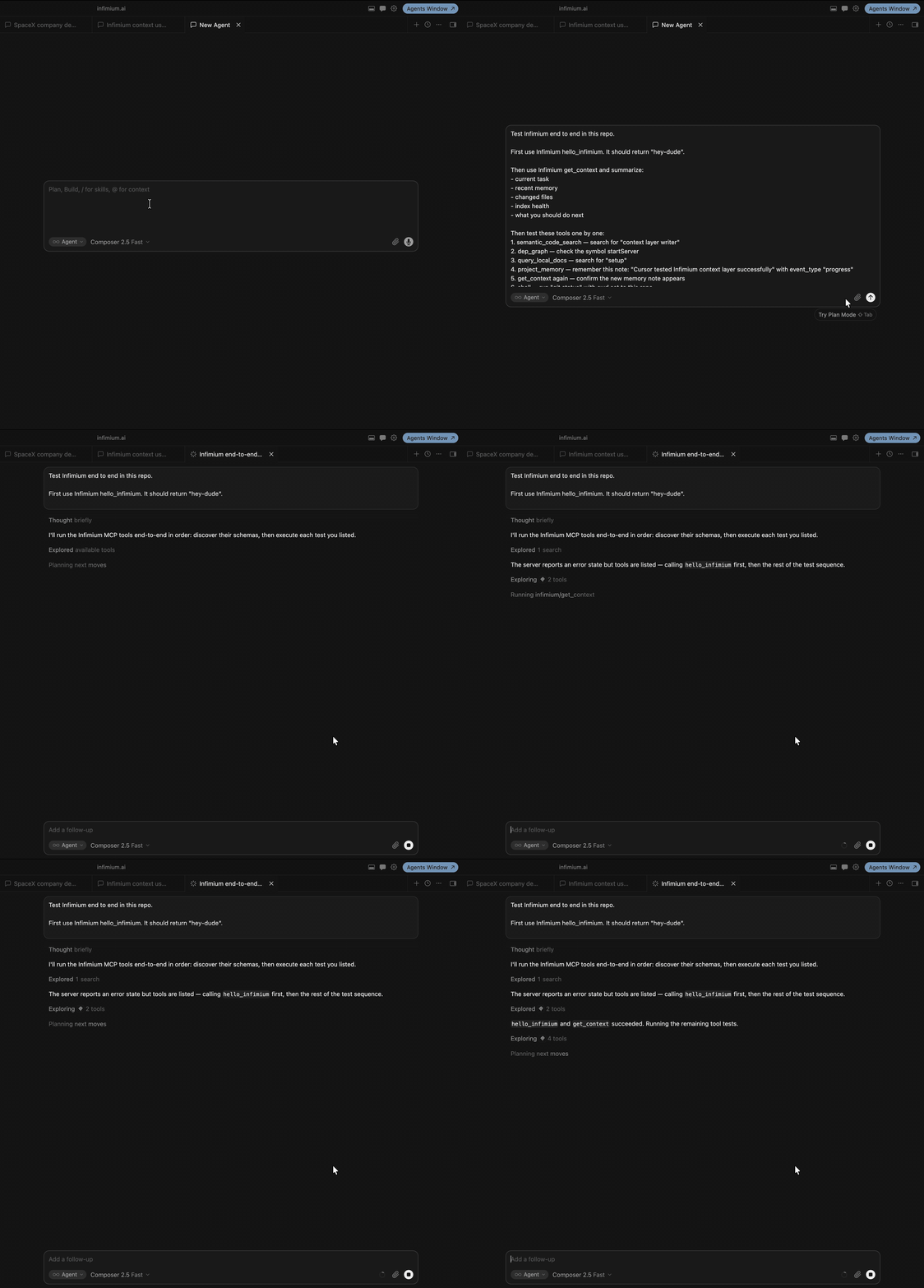
Tools (10)
hello_infimium
Health check that returns a simple greeting.
web_search
Search the web using the configured Tinyfish provider.
fetch_url
Fetch a URL and extract readable Markdown or text.
query_local_docs
Search indexed local documentation files such as .md, .txt, .html, and .pdf.
semantic_code_search
Search code by meaning using symbols and local embeddings.
dep_graph
Find where a symbol is defined, its importers, and its imports.
shell
Run allowlisted shell commands with timeout and output limits.
plan
Build an implementation plan from code search and dependency graph context.
project_memory
Save or resume task notes across chats and IDEs.
get_context
Return compact repository context including task, memory, index health, git changes, and touched files.
Environment variables
SEARCH_API_KEYrequiredAPI key for the optional Tinyfish web search provider.Packages
infimium
npmv0.1.6transport: stdio
Details
- Language
- TypeScript
- License
- MIT
- Released
- Jul 18, 2026
- Last commit
- Jul 18, 2026
- Registry name
- io.github.aryankumar06/infimium
Categories
Related Servers
Claude Flow
AI orchestration with hive-mind swarms, neural networks, and 87 MCP tools for enterprise dev.
68.0k
Codebase Memory Mcp
Persistent codebase knowledge graph. Survives session restarts and context compaction.
39.2k
Serena
A powerful toolkit for coding, providing semantic retrieval and editing capabilities.
28.1k