Mcp Arr
by aplaceforallmystuffcommunityv1.0.0
196
33
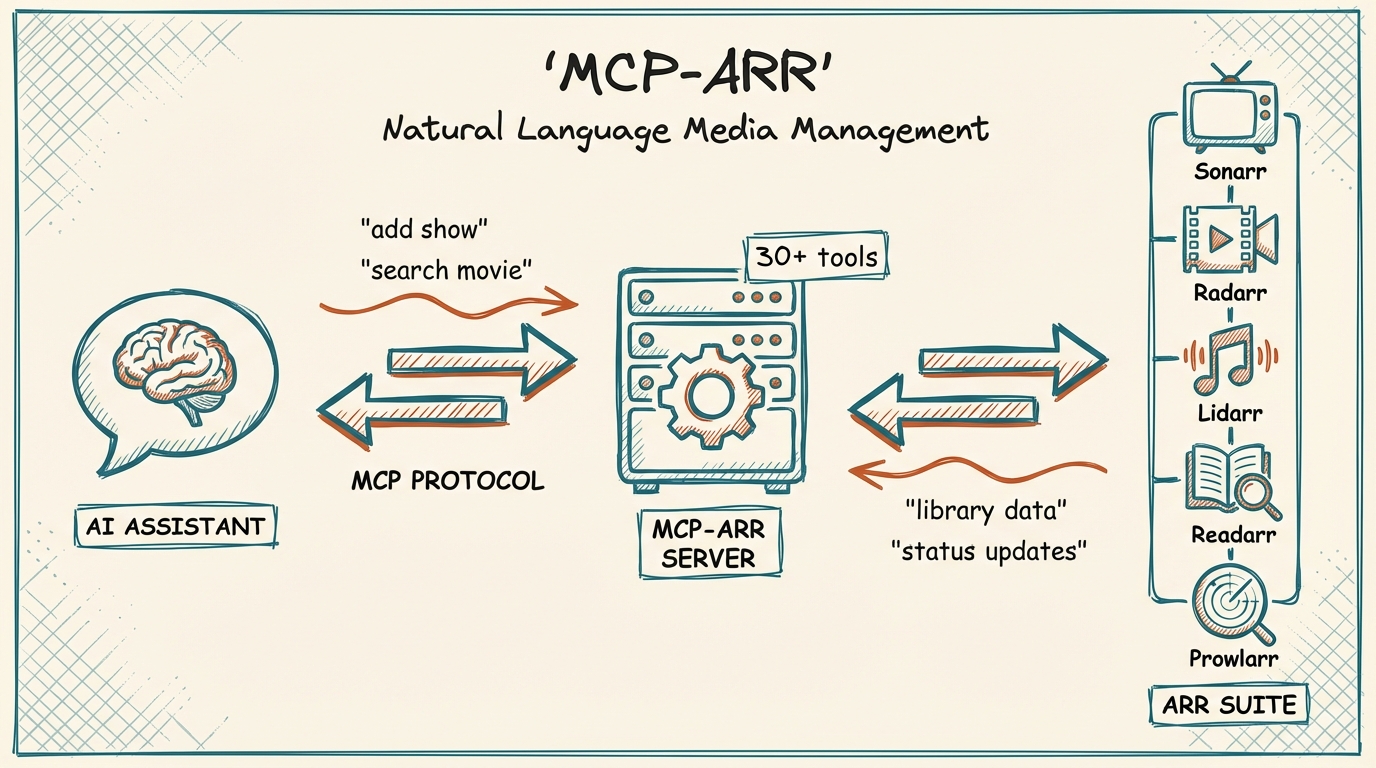
The MCP *arr Server integrates with the *arr media management suite, allowing users to manage Sonarr, Radarr, Lidarr, and Prowlarr from a single interface with natural language queries and cross-service search capabilities.
From the registry: MCP server for *arr media suite - Sonarr, Radarr, Lidarr, Readarr, Prowlarr




Install & configure
Prerequisites
- requiredAt least one *arr applicationA running instance of Sonarr, Radarr, Lidarr, or Prowlarr with API access
Install in your client
Paste into the AI you're chatting with — it will figure out the rest
Please install the `mcp-arr` MCP server into my current AI client (that's you).

Required prerequisites (do these first if not already done):
- **At least one *arr application** — A running instance of Sonarr, Radarr, Lidarr, or Prowlarr with API access

Canonical MCP server config (stdio transport):
- command: `npx`
- args: ["-y","mcp-arr-server"]
- optional environment variables:
  - `SONARR_URL`: Sonarr URL (example: `http://localhost:8989`)
  - `SONARR_API_KEY`: Sonarr API key (example: `<your-api-key>`)
  - `RADARR_URL`: Radarr URL (example: `http://localhost:7878`)
  - `RADARR_API_KEY`: Radarr API key (example: `<your-api-key>`)
  - `LIDARR_URL`: Lidarr URL (example: `http://localhost:8686`)
  - `LIDARR_API_KEY`: Lidarr API key (example: `<your-api-key>`)
  - `PROWLARR_URL`: Prowlarr URL (example: `http://localhost:9696`)
  - `PROWLARR_API_KEY`: Prowlarr API key (example: `<your-api-key>`)

Note: At least one service URL+API key pair is required; configure only the services you use.

Add this MCP server to my current client's config in the correct format for you. If you need secrets or credentials I haven't provided, ASK me — do not invent values or leave raw placeholders. After adding it, tell me how to verify the server is connected.
Note: At least one service URL+API key pair is required; configure only the services you use.
Tools (14)
arr_status
Get connection status for all configured *arr services
arr_search_all
Search across all configured services simultaneously
sonarr_get_series
List all TV series in your library
sonarr_search
Search for TV series by name
sonarr_add_series
Add a TV series to Sonarr
radarr_get_movies
List all movies in your library
radarr_search
Search for movies by name
radarr_add_movie
Add a movie to Radarr
lidarr_get_artists
List all artists in your library
lidarr_search
Search for artists by name
lidarr_add_artist
Add an artist to Lidarr
prowlarr_get_indexers
List all configured indexers
prowlarr_search
Search across all indexers
prowlarr_test_indexers
Test all indexers and return health status
Environment variables
SONARR_URLrequiredURL for the Sonarr applicationSONARR_API_KEYrequiredAPI key for the Sonarr applicationRADARR_URLrequiredURL for the Radarr applicationRADARR_API_KEYrequiredAPI key for the Radarr applicationLIDARR_URLrequiredURL for the Lidarr applicationLIDARR_API_KEYrequiredAPI key for the Lidarr applicationPROWLARR_URLrequiredURL for the Prowlarr applicationPROWLARR_API_KEYrequiredAPI key for the Prowlarr applicationPrerequisites
- • Node.js 18+
Packages
mcp-arr-server
npmv1.0.0transport: stdio
Details
- Language
- JavaScript
- License
- MIT
- Released
- Nov 28, 2025
- Last commit
- Aug 9, 2026
- Registry name
- io.github.aplaceforallmystuff/mcp-arr