Mcp Obsidian Via Rest
by OleksandrKucherenkocommunityv1.3.3
12
1
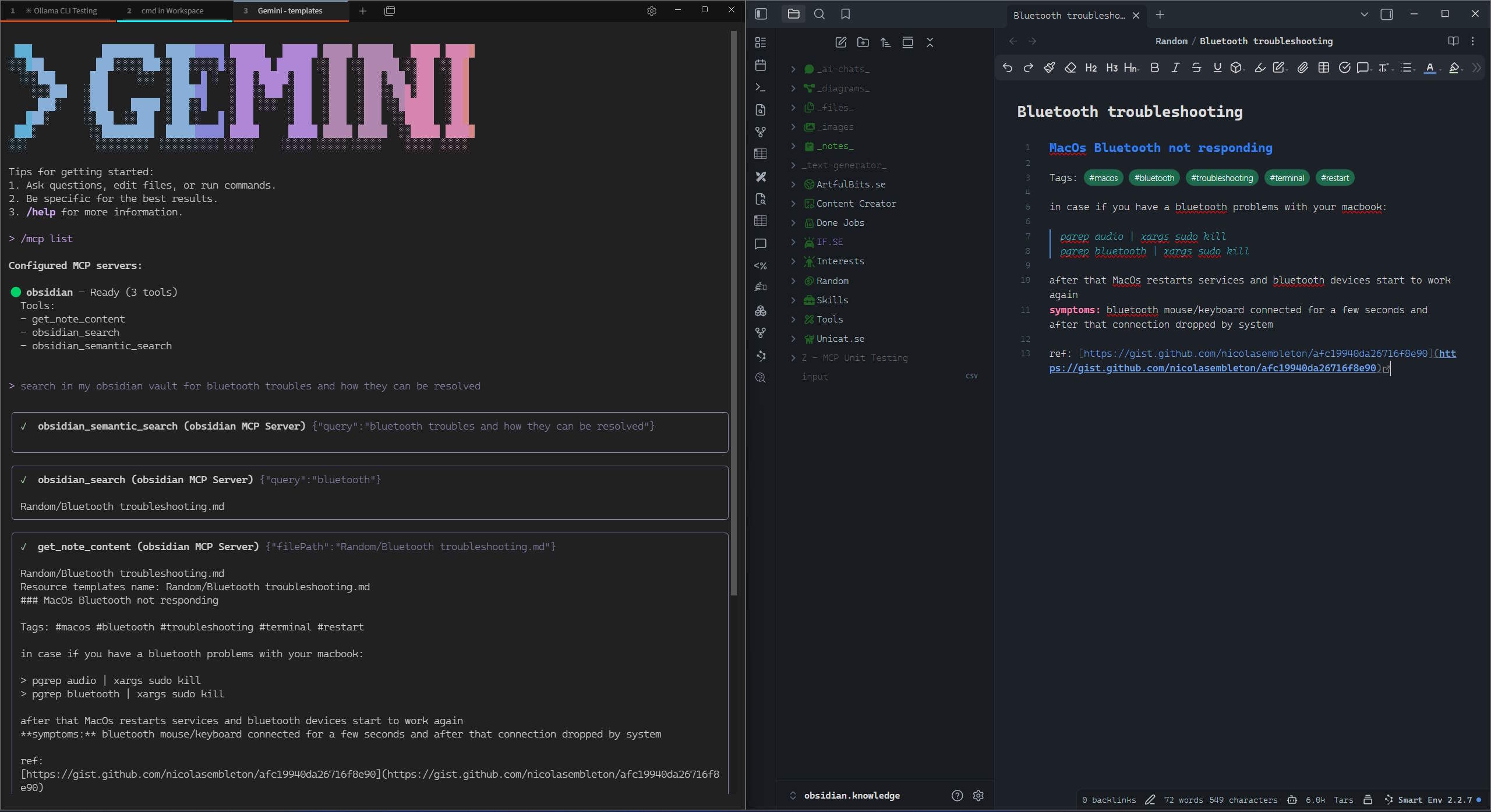
The MCP server provides tools for AI assistants to interact with Obsidian notes, allowing retrieval and searching of note content and metadata.
From the registry: Access Obsidian vaults via Local REST API - read, search, and interact with notes








Install & configure
Prerequisites
- requiredObsidian Local REST API pluginInstall Obsidian, enable the Local REST API community plugin (by Adam Coddington), and copy the API key from its settingshttps://github.com/coddingtonbear/obsidian-local-rest-api
Install in your client
Paste into the AI you're chatting with — it will figure out the rest
Please install the `mcp-obsidian-via-rest` MCP server into my current AI client (that's you).

Required prerequisites (do these first if not already done):
- **Obsidian Local REST API plugin** — Install Obsidian, enable the Local REST API community plugin (by Adam Coddington), and copy the API key from its settings (https://github.com/coddingtonbear/obsidian-local-rest-api)

Canonical MCP server config (stdio transport):
- command: `bunx`
- args: ["-y","@oleksandrkucherenko/mcp-obsidian"]
- required environment variables:
  - `API_KEY`: Obsidian Local REST API key (example: `<your-api-key>`)
- optional environment variables:
  - `API_URLS`: JSON array of candidate URLs for automatic failover (example: `["https://127.0.0.1:27124"]`)

Note: Obsidian vault MCP server via the Local REST API plugin. Supports multi-URL failover. Also available as Docker image ghcr.io/oleksandrkucherenko/obsidian-mcp:latest.

Add this MCP server to my current client's config in the correct format for you. If you need secrets or credentials I haven't provided, ASK me — do not invent values or leave raw placeholders. After adding it, tell me how to verify the server is connected.
Note: Obsidian vault MCP server via the Local REST API plugin. Supports multi-URL failover. Also available as Docker image ghcr.io/oleksandrkucherenko/obsidian-mcp:latest.
Tools (3)
get_note_content
Retrieve content and metadata of an Obsidian note
obsidian_search
Search notes using a query string
obsidian_semantic_search
Semantic search for notes
Environment variables
OBSIDIAN_API_KEYrequiredYour Obsidian REST API keyPackages
@oleksandrkucherenko/mcp-obsidian
npmv1.3.3transport: stdio
@oleksandrkucherenko/mcp-obsidian
npmv1.3.3transport: streamable-http
ghcr.io/oleksandrkucherenko/obsidian-mcp:1.3.3
ocitransport: streamable-http
docker.io/oleksandrkucherenko/obsidian-mcp:1.3.3
ocitransport: streamable-http
Details
- Language
- TypeScript
- License
- MIT
- Released
- Jan 18, 2026
- Last commit
- Apr 5, 2026
- Registry name
- io.github.OleksandrKucherenko/mcp-obsidian-via-rest