Mcp Pickaxe
by aplaceforallmystuffcommunityv1.0.1
2
1
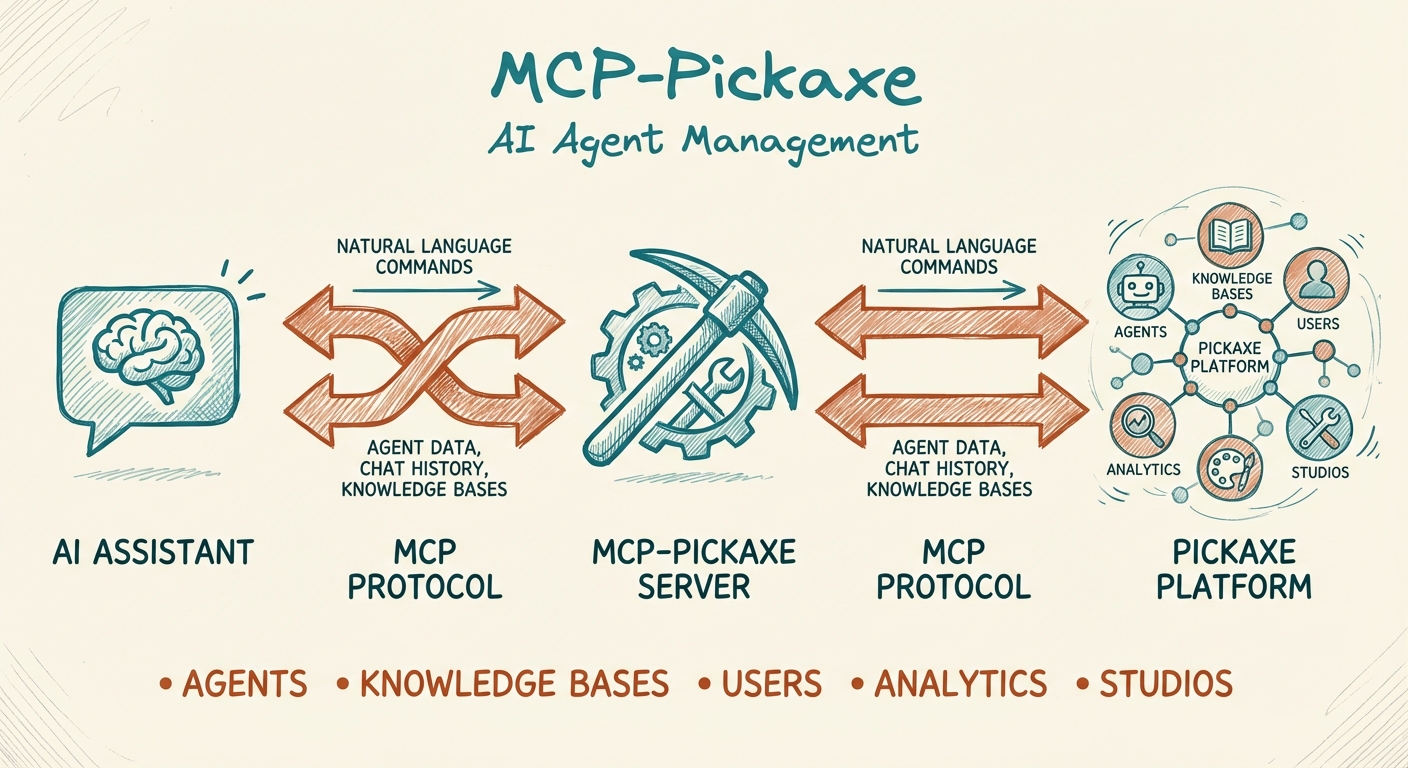
The MCP Pickaxe Server connects AI assistants to the Pickaxe platform, allowing users to manage AI agents, knowledge bases, users, and analytics through natural language.
From the registry: MCP server for Pickaxe API - manage AI agents, knowledge bases, users, and analytics



Install & configure
Prerequisites
- requiredPickaxe account with API accessSign up at Pickaxe and get Studio API key(s)https://studio.pickaxe.co
- requiredNode.js 18+Node.js runtime
Install in your client
Paste into the AI you're chatting with — it will figure out the rest
Please install the `mcp-pickaxe` MCP server into my current AI client (that's you).

Required prerequisites (do these first if not already done):
- **Pickaxe account with API access** — Sign up at Pickaxe and get Studio API key(s) (https://studio.pickaxe.co)
- **Node.js 18+** — Node.js runtime

Canonical MCP server config (stdio transport):
- command: `npx`
- args: ["mcp-pickaxe"]
- required environment variables:
  - `PICKAXE_STUDIO_MAIN`: Pickaxe Studio API key (starts with studio-) (example: `<your-studio-api-key>`)
- optional environment variables:
  - `PICKAXE_DEFAULT_STUDIO`: Default studio name when multiple are configured (example: `MAIN`)

Note: Supports multiple studios via PICKAXE_STUDIO_<NAME> environment variables.

Add this MCP server to my current client's config in the correct format for you. If you need secrets or credentials I haven't provided, ASK me — do not invent values or leave raw placeholders. After adding it, tell me how to verify the server is connected.
Note: Supports multiple studios via PICKAXE_STUDIO_<NAME> environment variables.
Tools (12)
studios_list
List all configured studios and the current default
chat_history
Fetch conversation history for an agent
doc_create
Create document from content or URL
doc_list
List all documents (with pagination)
doc_get
Get a specific document
doc_delete
Delete a document
doc_connect
Link document to an agent
user_list
List all users with access and usage info
user_create
Create a new user
products_list
List available products/bundles
memory_list
List memory schemas
memory_get_user
Get collected memories for a user
Environment variables
PICKAXE_STUDIO_MAINrequiredYour Pickaxe Studio API keyPrerequisites
- • Node.js 18+
Packages
mcp-pickaxe
npmv1.0.1transport: stdio
Details
- Language
- JavaScript
- License
- MIT
- Released
- Nov 27, 2025
- Last commit
- May 23, 2026
- Registry name
- io.github.aplaceforallmystuff/mcp-pickaxe
Categories
Related Servers
Claude Flow
AI orchestration with hive-mind swarms, neural networks, and 87 MCP tools for enterprise dev.
68.0k
Codebase Memory Mcp
Persistent codebase knowledge graph. Survives session restarts and context compaction.
39.2k
Serena
A powerful toolkit for coding, providing semantic retrieval and editing capabilities.
28.1k