Mcp Pihole
by aplaceforallmystuffcommunityv1.0.1
3
1
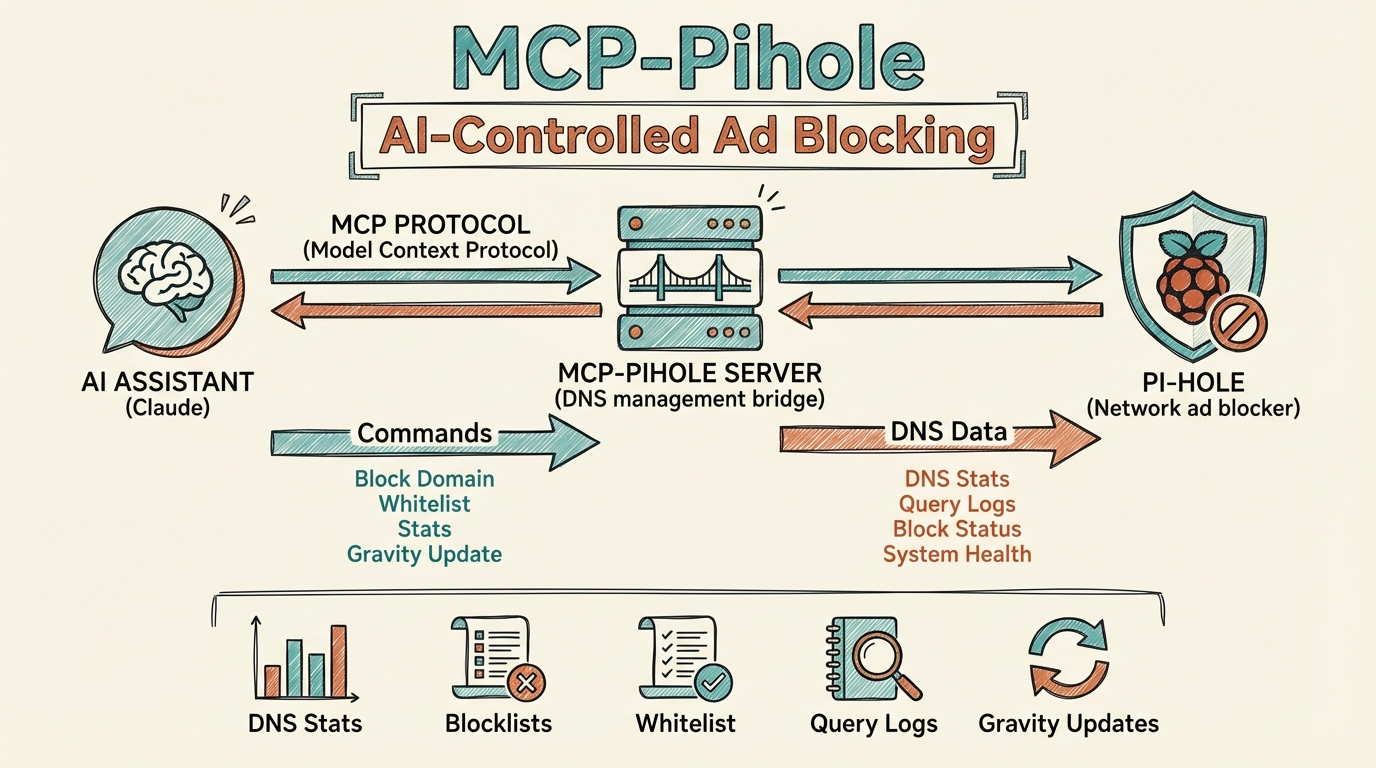
This MCP server connects AI assistants to a Pi-hole network-wide ad blocker, allowing users to manage DNS blocking, view statistics, and control whitelists/blacklists through natural language.
From the registry: Pi-hole v6 MCP server - manage DNS blocking, stats, whitelists/blacklists



Install & configure
Prerequisites
- required
- requiredPi-hole app passwordGenerate from Pi-hole Settings > API
- requiredNode.js 18+Node.js runtime
Install in your client
Paste into the AI you're chatting with — it will figure out the rest
Please install the `mcp-pihole` MCP server into my current AI client (that's you).

Required prerequisites (do these first if not already done):
- **Pi-hole v6 with API enabled** — Running Pi-hole instance with API access (https://pi-hole.net)
- **Pi-hole app password** — Generate from Pi-hole Settings > API
- **Node.js 18+** — Node.js runtime

Canonical MCP server config (stdio transport):
- command: `npx`
- args: ["-y","mcp-pihole-server"]
- required environment variables:
  - `PIHOLE_URL`: Pi-hole web interface URL (example: `http://pihole.local:8080`)
  - `PIHOLE_PASSWORD`: Pi-hole app password (example: `<your-app-password>`)

Add this MCP server to my current client's config in the correct format for you. If you need secrets or credentials I haven't provided, ASK me — do not invent values or leave raw placeholders. After adding it, tell me how to verify the server is connected.
Tools (16)
pihole_get_stats
Get comprehensive Pi-hole statistics
pihole_get_top_blocked
Get top blocked domains
pihole_get_top_permitted
Get top permitted domains
pihole_get_top_clients
Get top clients by query count
pihole_get_query_log
Get recent DNS queries
pihole_get_blocking_status
Check if blocking is enabled
pihole_enable_blocking
Enable DNS blocking
pihole_disable_blocking
Disable blocking (optionally with timer)
pihole_get_whitelist
List all whitelisted domains
pihole_get_blacklist
List all blacklisted domains
pihole_add_to_whitelist
Add domain to whitelist
pihole_add_to_blacklist
Add domain to blacklist
pihole_remove_from_whitelist
Remove domain from whitelist
pihole_remove_from_blacklist
Remove domain from blacklist
Environment variables
PIHOLE_URLrequiredPi-hole web interface URLPIHOLE_PASSWORDrequiredPi-hole app passwordPrerequisites
- • Node.js 18+
Packages
mcp-pihole-server
npmv1.0.1transport: stdio
Details
- Language
- JavaScript
- License
- MIT
- Released
- Nov 28, 2025
- Last commit
- Jun 20, 2026
- Registry name
- io.github.aplaceforallmystuff/mcp-pihole