Mcp Server
by browserstackcommunityv1.0.0
150
50
The BrowserStack MCP Server allows users to manage test cases, execute manual or automated tests, and debug issues using natural language prompts within various IDEs and AI tools.
From the registry: BrowserStack's Official MCP Server

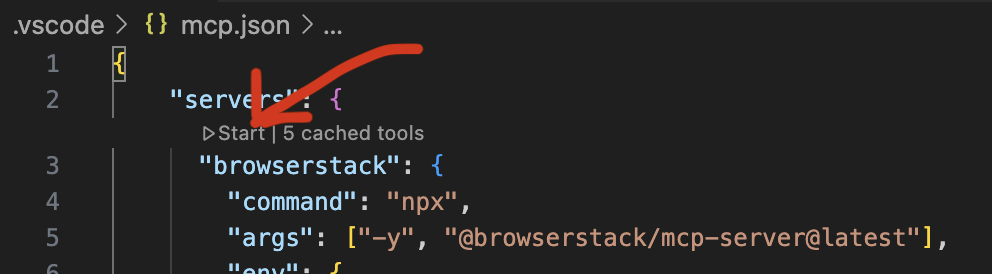
Install & configure
Prerequisites
- requiredNode.js 18+Recommended v22.15.0 LTS
- required
Install in your client
Paste into the AI you're chatting with — it will figure out the rest
Please install the `mcp-server-browserstack` MCP server into my current AI client (that's you).

Required prerequisites (do these first if not already done):
- **Node.js 18+** — Recommended v22.15.0 LTS
- **BrowserStack account** — BrowserStack username and access key (https://www.browserstack.com)

Canonical MCP server config (stdio transport):
- command: `npx`
- args: ["-y","@browserstack/mcp-server"]
- required environment variables:
  - `BROWSERSTACK_USERNAME`: BrowserStack username (example: `<your-username>`)
  - `BROWSERSTACK_ACCESS_KEY`: BrowserStack access key (example: `<your-access-key>`)

Add this MCP server to my current client's config in the correct format for you. If you need secrets or credentials I haven't provided, ASK me — do not invent values or leave raw placeholders. After adding it, tell me how to verify the server is connected.
Environment variables
BROWSERSTACK_USERNAMErequiredYour BrowserStack account username.BROWSERSTACK_ACCESS_KEYrequiredYour BrowserStack account access key.Packages
@browserstack/mcp-server
npmv1.2.7transport: stdio
Details
- Language
- TypeScript
- License
- AGPL-3.0
- Released
- Oct 28, 2025
- Last commit
- Aug 13, 2026
- Registry name
- io.github.browserstack/mcp-server
Categories
Related Servers
Netdata
Real-time infrastructure monitoring with metrics, logs, alerts, and ML-based anomaly detection.
80.2k
Codebase Memory Mcp
Persistent codebase knowledge graph. Survives session restarts and context compaction.
39.2k
Oh My Posh Validator
Validate oh-my-posh configurations and segment snippets against the official schema.
23.3k