Mcp Uptime Kuma
by DavidFuchscommunityv0.7.0
24
12
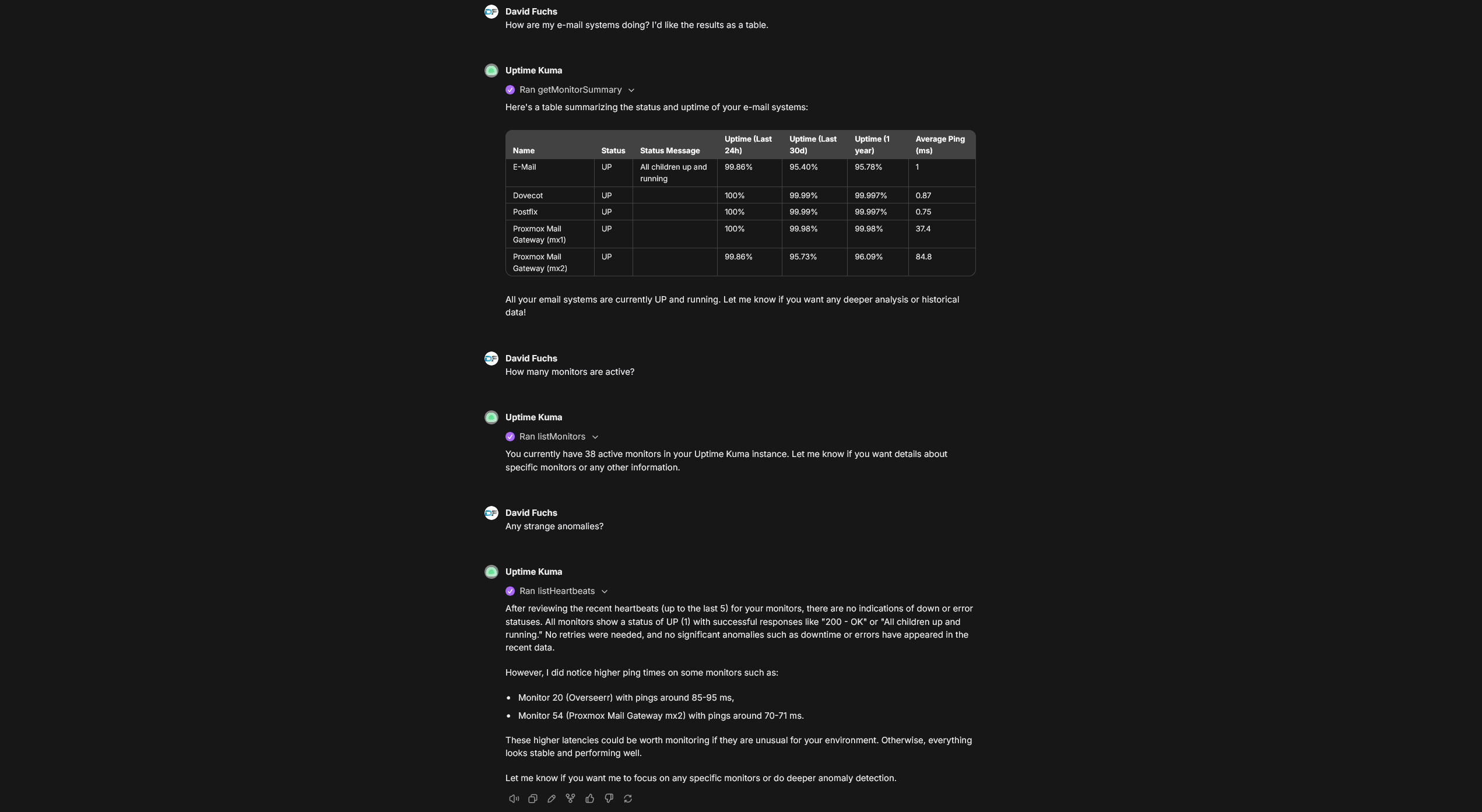
This MCP server integrates with Uptime Kuma to provide real-time monitoring and management of uptime metrics through various transport methods. It supports both local and remote connections for accessing monitor data.
From the registry: A Model Context Protocol (MCP) server for Uptime Kuma version 2.









Install & configure
Prerequisites
- requiredUptime Kuma v2 instanceRequires a running Uptime Kuma v2 instance with credentialshttps://github.com/louislam/uptime-kuma
Install in your client
Paste into the AI you're chatting with — it will figure out the rest
Please install the `mcp-uptime-kuma` MCP server into my current AI client (that's you).

Required prerequisites (do these first if not already done):
- **Uptime Kuma v2 instance** — Requires a running Uptime Kuma v2 instance with credentials (https://github.com/louislam/uptime-kuma)

Canonical MCP server config (stdio transport):
- command: `npx`
- args: ["-y","@davidfuchs/mcp-uptime-kuma"]
- required environment variables:
  - `UPTIME_KUMA_URL`: Uptime Kuma base URL (example: `http://your-instance:3001`)
  - `UPTIME_KUMA_USERNAME`: Uptime Kuma username (example: `<your-username>`)
  - `UPTIME_KUMA_PASSWORD`: Uptime Kuma password (example: `<your-password>`)
- optional environment variables:
  - `UPTIME_KUMA_2FA_TOKEN`: 2FA code if enabled (example: `123456`)
  - `UPTIME_KUMA_JWT_TOKEN`: JWT token (alternative to username/password) (example: `<your-jwt-token>`)

Note: Also supports streamable-http via Docker (davidfuchs/mcp-uptime-kuma).

Add this MCP server to my current client's config in the correct format for you. If you need secrets or credentials I haven't provided, ASK me — do not invent values or leave raw placeholders. After adding it, tell me how to verify the server is connected.
Note: Also supports streamable-http via Docker (davidfuchs/mcp-uptime-kuma).
Tools (22)
getMonitorSummary
Get a quick overview of all monitors with their current status.
listMonitors
Get the full list of all monitors with configurations.
listMonitorTypes
Get all available monitor types supported by Uptime Kuma.
getMonitor
Get detailed configuration for a specific monitor by ID.
createMonitor
Create a new monitor (requires name and type at minimum).
updateMonitor
Update an existing monitor's configuration.
deleteMonitor
Permanently delete a monitor and all its heartbeat history.
pauseMonitor
Pause a monitor to stop performing checks.
resumeMonitor
Resume a paused monitor to restart checks.
listHeartbeats
Get status check history for all monitors.
getHeartbeats
Get status check history for a specific monitor.
listNotifications
List all configured notification channels.
addNotification
Create a new notification channel.
Environment variables
UPTIME_KUMA_URLrequiredThe URL of your Uptime Kuma instance.UPTIME_KUMA_USERNAMErequiredUsername for Uptime Kuma authentication.UPTIME_KUMA_PASSWORDrequiredPassword for Uptime Kuma authentication.Packages
@davidfuchs/mcp-uptime-kuma
npmv0.7.0transport: stdio
Details
- Language
- TypeScript
- License
- MIT
- Released
- Mar 24, 2026
- Last commit
- Mar 24, 2026
- Registry name
- io.github.DavidFuchs/mcp-uptime-kuma