Multi Gmail Mcp
by gx-55communityv1.0.1
14
3
An MCP server for Claude Desktop that connects to multiple Gmail accounts, allowing searching, reading, sending, replying to, and organizing email across accounts. It uses local OAuth token storage and auto-refreshes Gmail tokens.
From the registry: Manage multiple Gmail accounts in Claude Desktop — search, send, reply, draft, and organize.
Install & configure
Prerequisites
- requiredInstall Node.js >= 22.5.0Node.js version 22.5.0 or newer is required to run the npm package.
- requiredInstall the Multi Gmail MCP package globallyInstall the MCP server and CLI globally via npm. This provides the `gmail-mcp` server command and `gmail-mcp-cli` account manager.
$ npm install -g multi-gmail-mcp - requiredCreate a Google Cloud project and enable Gmail APICreate a Google Cloud project, enable the Gmail API, configure the OAuth consent screen, add the scopes `gmail.readonly`, `gmail.send`, `gmail.modify`, and `gmail.labels`, then create Desktop app OAuth credentials.https://console.cloud.google.com
- requiredProvide Google OAuth credentialsSave the downloaded Desktop app OAuth credential JSON to `~/.gmail-mcp-oauth.json`, or alternatively provide `GOOGLE_CLIENT_ID` and `GOOGLE_CLIENT_SECRET` in the MCP server environment.
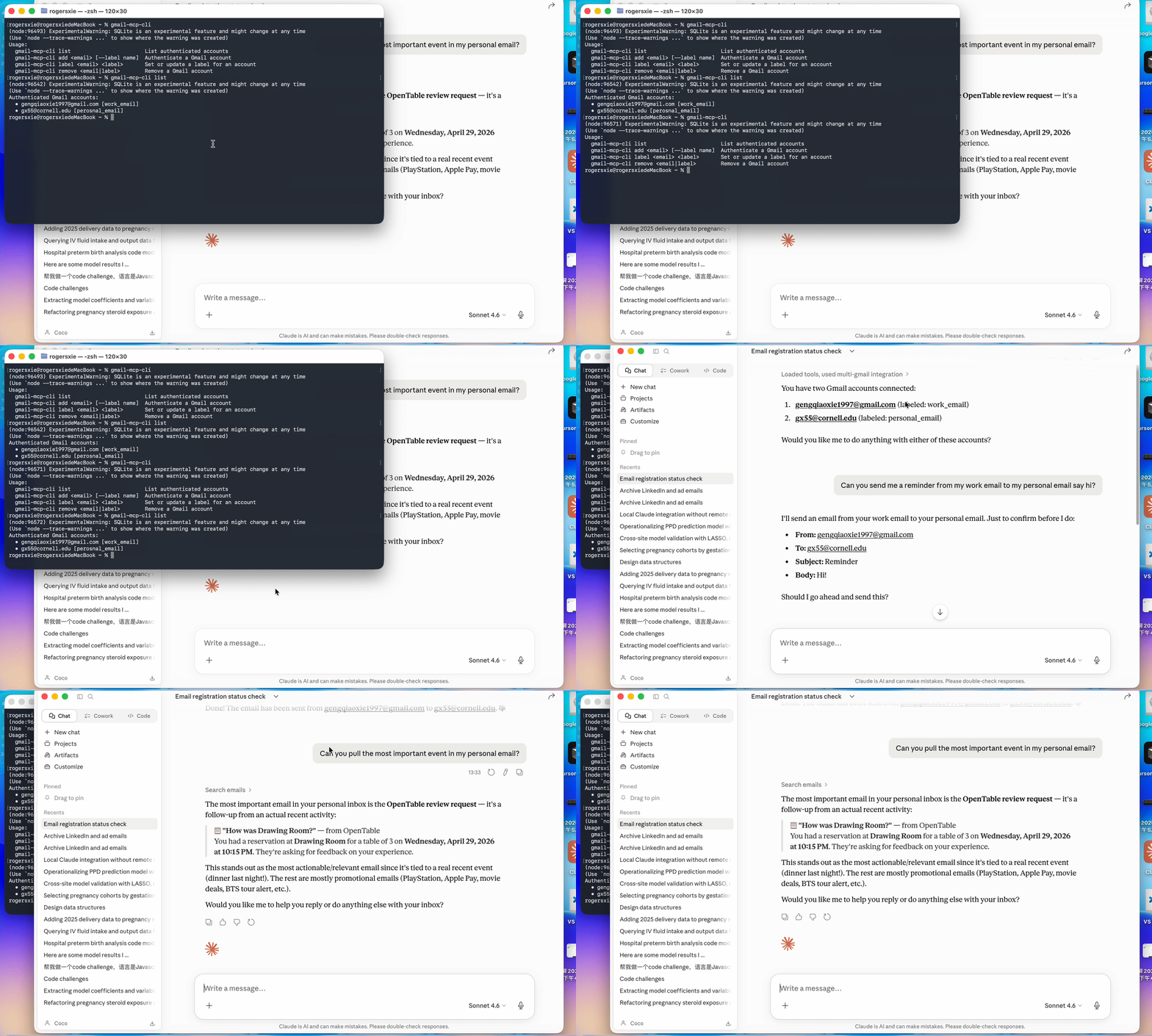
- requiredAuthenticate one or more Gmail accountsRun the CLI to add each Gmail account you want the server to access. Tokens are stored locally and refreshed automatically.
$ gmail-mcp-cli add <your-email-address>
Install in your client
Paste into the AI you're chatting with — it will figure out the rest
Please install the `multi-gmail-mcp` MCP server into my current AI client (that's you).

Required prerequisites (do these first if not already done):
- **Install Node.js >= 22.5.0** — Node.js version 22.5.0 or newer is required to run the npm package.
- **Install the Multi Gmail MCP package globally** — Install the MCP server and CLI globally via npm. This provides the `gmail-mcp` server command and `gmail-mcp-cli` account manager. Run: `npm install -g multi-gmail-mcp`
- **Create a Google Cloud project and enable Gmail API** — Create a Google Cloud project, enable the Gmail API, configure the OAuth consent screen, add the scopes `gmail.readonly`, `gmail.send`, `gmail.modify`, and `gmail.labels`, then create Desktop app OAuth credentials. (https://console.cloud.google.com)
- **Provide Google OAuth credentials** — Save the downloaded Desktop app OAuth credential JSON to `~/.gmail-mcp-oauth.json`, or alternatively provide `GOOGLE_CLIENT_ID` and `GOOGLE_CLIENT_SECRET` in the MCP server environment.
- **Authenticate one or more Gmail accounts** — Run the CLI to add each Gmail account you want the server to access. Tokens are stored locally and refreshed automatically. Run: `gmail-mcp-cli add <your-email-address>`

Canonical MCP server config (stdio transport):
- command: `gmail-mcp`
- args: []
- optional environment variables:
  - `GOOGLE_CLIENT_ID`: Google OAuth client ID for a Desktop app credential. Use this if you prefer environment variables instead of `~/.gmail-mcp-oauth.json`. If not using the OAuth JSON file, this is required. (example: `<your-client-id>.apps.googleusercontent.com`)
  - `GOOGLE_CLIENT_SECRET`: Google OAuth client secret paired with `GOOGLE_CLIENT_ID`. Use this if you prefer environment variables instead of `~/.gmail-mcp-oauth.json`. If not using the OAuth JSON file, this is required. (example: `<your-client-secret>`)

Note: The server runs over stdio only. OAuth credentials can be supplied either via `~/.gmail-mcp-oauth.json` or via the `GOOGLE_CLIENT_ID` and `GOOGLE_CLIENT_SECRET` environment variables. Before use, you must authenticate each Gmail account with `gmail-mcp-cli add <your-email-address>`. Tokens are stored locally in `~/.gmail-mcp-tokens.db`.

Add this MCP server to my current client's config in the correct format for you. If you need secrets or credentials I haven't provided, ASK me — do not invent values or leave raw placeholders. After adding it, tell me how to verify the server is connected.
Note: The server runs over stdio only. OAuth credentials can be supplied either via `~/.gmail-mcp-oauth.json` or via the `GOOGLE_CLIENT_ID` and `GOOGLE_CLIENT_SECRET` environment variables. Before use, you must authenticate each Gmail account with `gmail-mcp-cli add <your-email-address>`. Tokens are stored locally in `~/.gmail-mcp-tokens.db`.
Tools (15)
list_accounts
List all authenticated Gmail accounts
initiate_auth
Start the OAuth flow and return a browser URL
complete_auth
Finalize authentication after Google sign-in
remove_account
Remove an account and its stored credentials
search_emails
Search emails using Gmail search syntax
get_email
Fetch full email content by message ID
send_email
Send an email with To, CC, and BCC
reply_to_email
Reply in a thread while preserving References headers
create_draft
Save an email as a draft
list_labels
List all Gmail labels for an account
add_label
Add one or more labels to a message
remove_label
Remove one or more labels from a message
archive_email
Remove an email from the Inbox
mark_as_read
Remove the UNREAD label from a message
Environment variables
GOOGLE_CLIENT_IDrequiredGoogle OAuth client ID used when not loading credentials from ~/.gmail-mcp-oauth.jsonGOOGLE_CLIENT_SECRETrequiredGoogle OAuth client secret used when not loading credentials from ~/.gmail-mcp-oauth.jsonPrerequisites
- • Node.js >= 22.5
Packages
multi-gmail-mcp
npmv1.0.1transport: stdio
Details
- Language
- JavaScript
- License
- MIT
- Released
- Apr 27, 2026
- Last commit
- May 4, 2026
- Registry name
- io.github.gx-55/multi-gmail-mcp