Okama Mcp
by mbk-devcommunityv1.6.0
4
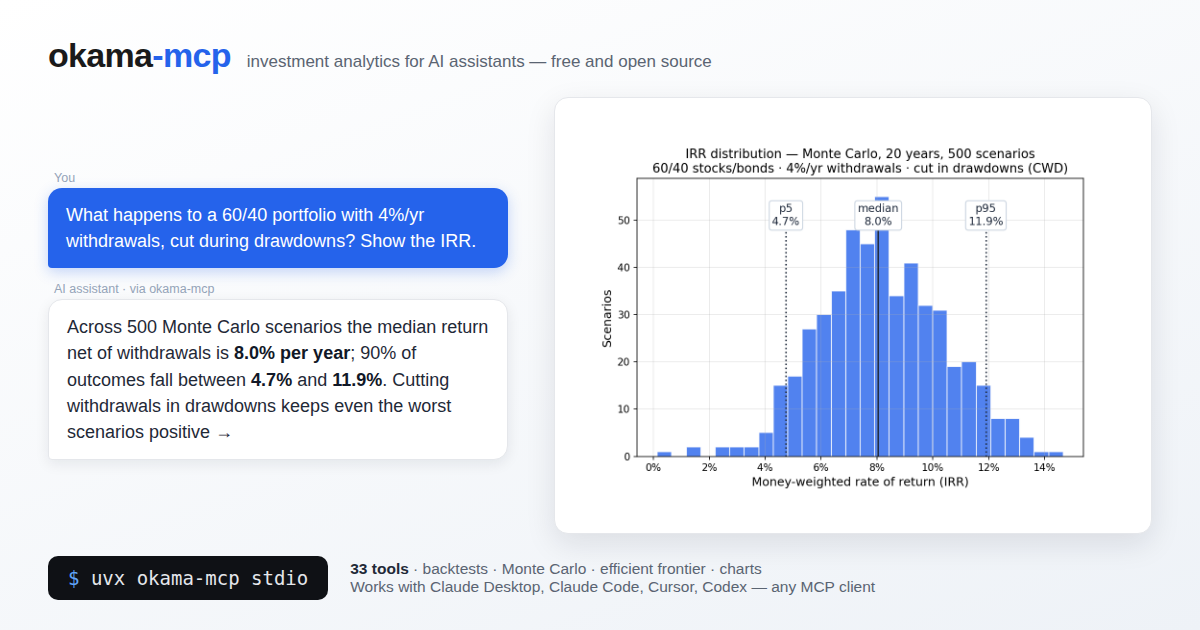
An MCP server that exposes the okama investment portfolio toolkit to MCP-compatible AI clients for portfolio analysis, backtesting, Monte Carlo retirement forecasting, efficient frontier optimization, macro data, and chart generation. It runs locally over stdio or can be self-hosted over streamable HTTP.
From the registry: Portfolio analytics via the okama library: backtests, Monte Carlo, efficient frontier, PNG charts




Install & configure
Prerequisites
- requiredInstall Python 3.11 or newerPython 3.11+ is required to run okama-mcp.
- optionalInstall uv or pipxThe README recommends uvx or pipx as the simplest isolated install/run path from PyPI.https://docs.astral.sh/uv/
Install in your client
Paste into the AI you're chatting with — it will figure out the rest
Please install the `okama-mcp` MCP server into my current AI client (that's you).

Required prerequisites (do these first if not already done):
- **Install Python 3.11 or newer** — Python 3.11+ is required to run okama-mcp.

Optional prerequisites:
- Install uv or pipx — The README recommends uvx or pipx as the simplest isolated install/run path from PyPI. (https://docs.astral.sh/uv/)

Canonical MCP server config (stdio transport):
- command: `uvx`
- args: ["okama-mcp","stdio"]

Note: The server supports two transports: stdio for local MCP clients and streamable HTTP for self-hosting. Preferred portable stdio config uses `uvx okama-mcp stdio`. For self-hosting, run `okama-mcp http --host <your-host> --port <your-port> --path <your-path>` and point clients at `http://<your-server>:<your-port>/<your-path>`.

Add this MCP server to my current client's config in the correct format for you. If you need secrets or credentials I haven't provided, ASK me — do not invent values or leave raw placeholders. After adding it, tell me how to verify the server is connected.
Note: The server supports two transports: stdio for local MCP clients and streamable HTTP for self-hosting. Preferred portable stdio config uses `uvx okama-mcp stdio`. For self-hosting, run `okama-mcp http --host <your-host> --port <your-port> --path <your-path>` and point clients at `http://<your-server>:<your-port>/<your-path>`.
Tools (27)
search_assets
Free-text search across okama symbols by name, ticker, or ISIN.
list_namespaces
List available okama namespaces for assets or macro data.
get_asset_info
Return metadata for a single symbol, including name, country, currency, type, and date range.
get_asset_history
Return time series data for one asset.
compare_assets
Compare multiple assets with summary statistics such as CAGR, risk, and drawdowns.
get_correlations
Return a correlation matrix of monthly returns for selected assets.
get_rolling_risk
Return rolling annualized risk for selected assets.
get_dividend_info
Return dividend yield and dividend streak information for selected assets.
analyze_portfolio
Return headline metrics and a full describe() table for a portfolio specification.
get_portfolio_drawdowns
Return portfolio drawdown time series and max drawdown/recovery period.
get_portfolio_var_cvar
Return historical Value at Risk and CVaR for a portfolio.
get_portfolio_wealth_index
Return the portfolio wealth-index series.
Packages
okama-mcp
pypiv1.6.0transport: stdio
Details
- Language
- Python
- License
- MIT
- Released
- Jun 17, 2026
- Last commit
- Jun 22, 2026
- Registry name
- io.github.mbk-dev/okama-mcp
Categories
Related Servers
Labelhead Artist Momentum
Trending hip-hop artist momentum scores across four cultural dimensions.
78.5k
PostHog MCP Server
Official PostHog MCP Server for product analytics, feature flags, experiments, and more.
37.7k
Openmetadata Mcp
Official OpenMetadata MCP: governed context and business semantics for AI assistants and agents.
14.9k