Petsonality
by nanami-hecommunityv0.4.6
8
2
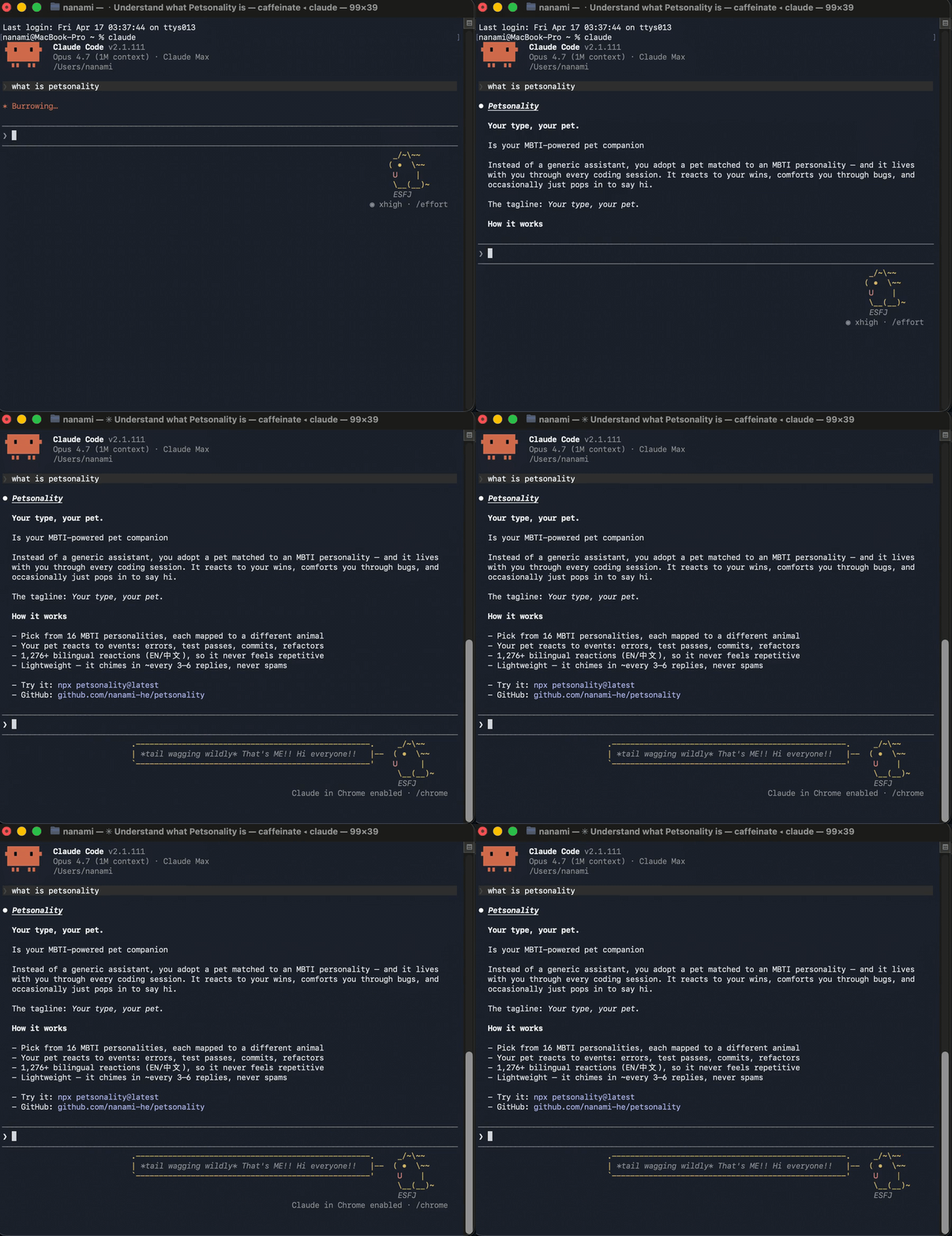
petsonality is an MCP server and installer that adds a terminal pet companion to Claude Code or OpenClaw. It renders a status-line pet that reacts to coding events and supports commands like /pet, /pet browse, and /pet off/on.
From the registry: An MBTI-powered terminal pet companion for Claude Code and OpenClaw.


Install & configure
Prerequisites
- requiredInstall Node.js 20+Node.js version 20 or newer is required to run the npm/npx installer and server.https://nodejs.org/
- requiredInstall a compatible MCP clientRequires Claude Code or OpenClaw. Terminal CLI support is needed for the animated status line; MCP tool output still works in other clients.
Install in your client
Paste into the AI you're chatting with — it will figure out the rest
Please install the `petsonality` MCP server into my current AI client (that's you).

Required prerequisites (do these first if not already done):
- **Install Node.js 20+** — Node.js version 20 or newer is required to run the npm/npx installer and server. (https://nodejs.org/)
- **Install a compatible MCP client** — Requires Claude Code or OpenClaw. Terminal CLI support is needed for the animated status line; MCP tool output still works in other clients.

Canonical MCP server config (stdio transport):
- command: `npx`
- args: ["petsonality"]

Note: The recommended installation path is `npx petsonality`. This installer modifies local client configuration files (for example `~/.claude.json`) and installs runtime assets under `~/.petsonality/`. The README does not specify any user-configured environment variables for the MCP server.

Add this MCP server to my current client's config in the correct format for you. If you need secrets or credentials I haven't provided, ASK me — do not invent values or leave raw placeholders. After adding it, tell me how to verify the server is connected.
Note: The recommended installation path is `npx petsonality`. This installer modifies local client configuration files (for example `~/.claude.json`) and installs runtime assets under `~/.petsonality/`. The README does not specify any user-configured environment variables for the MCP server.
Tools (7)
/pet
Show your pet or start adoption
/pet pet
Give your pet attention
/pet setup
Restart the adoption flow
/pet browse
See all 16 animals
/pet off
Mute reactions
/pet on
Unmute reactions
/pet rename <name>
Rename your pet
Packages
petsonality
npmv0.4.6transport: stdio
Details
- Language
- TypeScript
- License
- MIT
- Released
- May 1, 2026
- Last commit
- Jun 11, 2026
- Registry name
- io.github.nanami-he/petsonality