Pfc
by yusong652communityv0.2.5
153
12
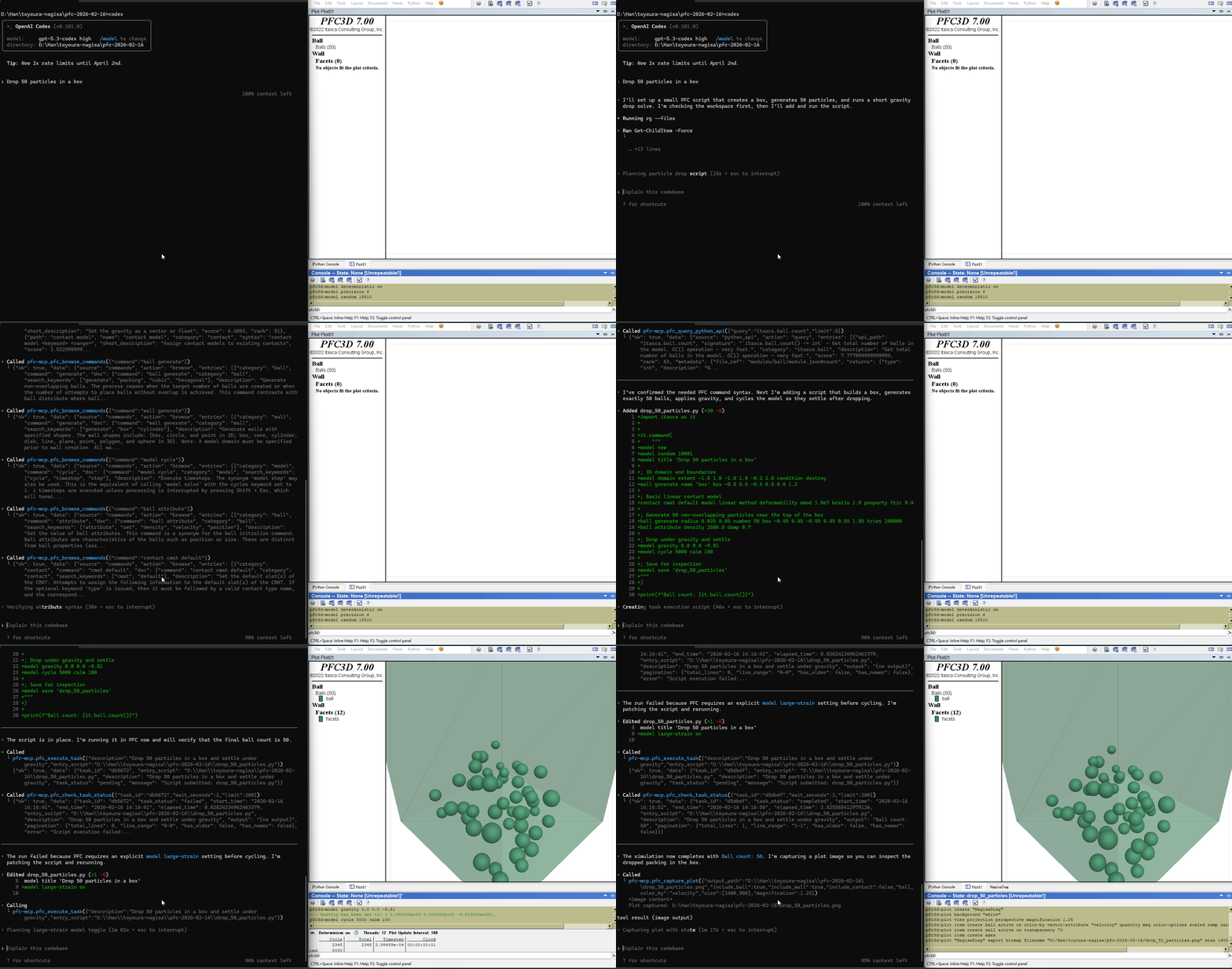
pfc-mcp connects AI agents to ITASCA PFC through the Model Context Protocol, enabling users to browse documentation, run simulations, and execute code via natural conversation.
From the registry: Give AI agents full access to ITASCA PFC - documentation, simulation, and plot capture.




Install & configure
Prerequisites
- requiredITASCA PFC 6.0, 7.0, or 9.0ITASCA PFC discrete element simulation software must be installedhttps://www.itascacg.com/software/pfc
- optionalPFC bridge (for execution tools)Run addon.py inside PFC to enable execution tools (5 docs tools work without bridge)
Install in your client
Paste into the AI you're chatting with — it will figure out the rest
Please install the `pfc` MCP server into my current AI client (that's you).

Required prerequisites (do these first if not already done):
- **ITASCA PFC 6.0, 7.0, or 9.0** — ITASCA PFC discrete element simulation software must be installed (https://www.itascacg.com/software/pfc)

Optional prerequisites:
- PFC bridge (for execution tools) — Run addon.py inside PFC to enable execution tools (5 docs tools work without bridge)

Canonical MCP server config (stdio transport):
- command: `uvx`
- args: ["pfc-mcp"]

Note: 5 documentation tools work without the bridge (no PFC required). 5 execution tools require running addon.py inside PFC first. Supports PFC versions 6.0, 7.0, and 9.0.

Add this MCP server to my current client's config in the correct format for you. If you need secrets or credentials I haven't provided, ASK me — do not invent values or leave raw placeholders. After adding it, tell me how to verify the server is connected.
Note: 5 documentation tools work without the bridge (no PFC required). 5 execution tools require running addon.py inside PFC first. Supports PFC versions 6.0, 7.0, and 9.0.
Tools (2)
documentation tools
Browse and search PFC commands, Python API, and reference docs.
execution tools
Interactive REPL, task submission, progress monitoring, interruption, and history.
Prerequisites
- • Python 3.10+
Packages
pfc-mcp
pypiv0.2.5transport: stdio
Details
- Language
- Python
- License
- MIT
- Released
- Mar 6, 2026
- Last commit
- Aug 15, 2026
- Registry name
- io.github.yusong652/pfc
Categories
Related Servers
Claude Flow
AI orchestration with hive-mind swarms, neural networks, and 87 MCP tools for enterprise dev.
68.0k
Codebase Memory Mcp
Persistent codebase knowledge graph. Survives session restarts and context compaction.
39.2k
Serena
A powerful toolkit for coding, providing semantic retrieval and editing capabilities.
28.1k