Agent Droid Bridge
by Neverlow512communityv0.6.1
16
2
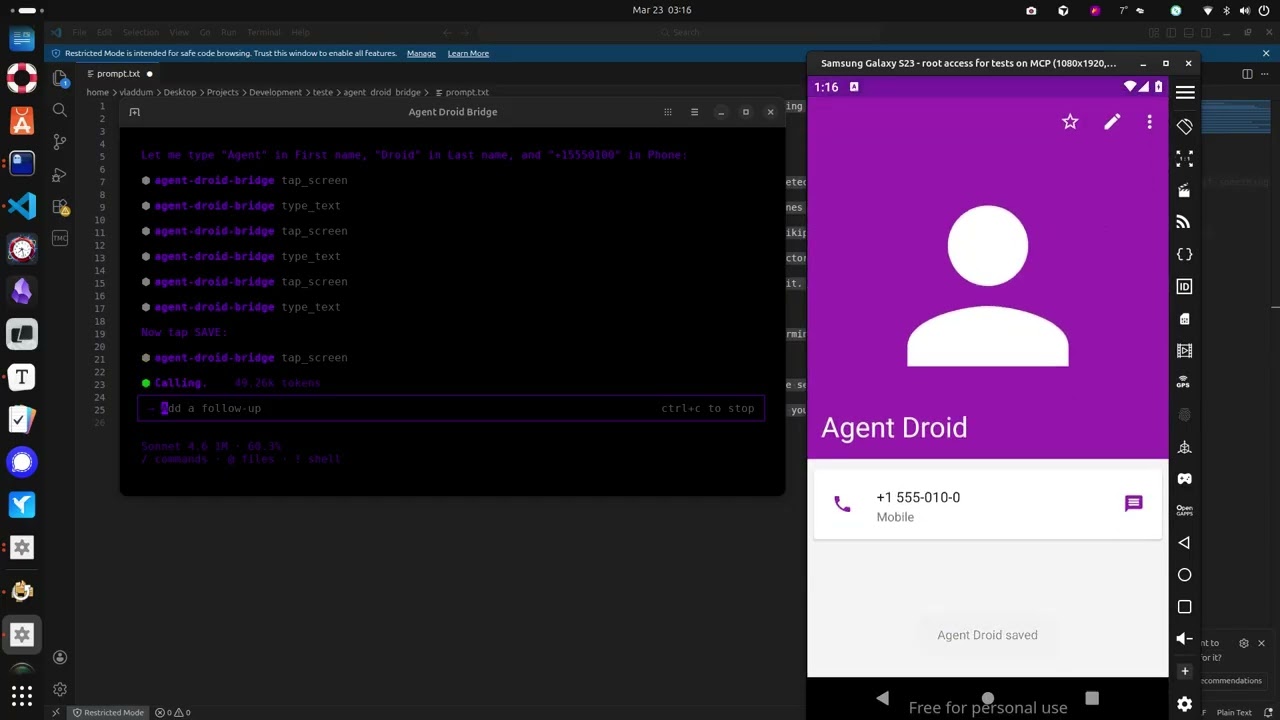
Agent Droid Bridge is an MCP server that connects AI agents to Android devices and emulators over ADB, facilitating mobile automation, app testing, dynamic analysis, and reverse engineering.
From the registry: MCP server giving AI agents eyes and hands inside Android devices via ADB






Install & configure
Prerequisites
- required
- requireduv (uvx)Install uv which provides uvx
https://docs.astral.sh/uv/$ curl -LsSf https://astral.sh/uv/install.sh | sh - requiredADB (Android Debug Bridge)Install ADB on your host and have an Android device/emulator connected
Install in your client
Paste into the AI you're chatting with — it will figure out the rest
Please install the `agent-droid-bridge` MCP server into my current AI client (that's you).

Required prerequisites (do these first if not already done):
- **Python 3.11+** — Required runtime (https://www.python.org/)
- **uv (uvx)** — Install uv which provides uvx Run: `curl -LsSf https://astral.sh/uv/install.sh | sh` (https://docs.astral.sh/uv/)
- **ADB (Android Debug Bridge)** — Install ADB on your host and have an Android device/emulator connected

Canonical MCP server config (stdio transport):
- command: `uvx`
- args: ["agent-droid-bridge"]
- optional environment variables:
  - `ADB_EXECUTION_MODE`: unrestricted (default) or restricted (example: `unrestricted`)
  - `ADB_ALLOW_SHELL`: Set to false to block all adb shell commands (example: `true`)
  - `MCP_LOG_ENABLED`: Enable session logging (example: `false`)
  - `MCP_LOG_DIR`: Log output directory (example: `~/logs/agent-droid-bridge`)

Add this MCP server to my current client's config in the correct format for you. If you need secrets or credentials I haven't provided, ASK me — do not invent values or leave raw placeholders. After adding it, tell me how to verify the server is connected.
Tools (14)
get_ui_hierarchy
Returns the current screen as an XML UI hierarchy
take_screenshot
Captures the screen as a base64-encoded PNG
tap_screen
Sends a tap gesture at pixel coordinates
swipe_screen
Sends a swipe gesture between two points over a given duration
type_text
Types text into the focused input field
press_key
Sends an Android keycode event (Back, Home, Enter, etc.)
launch_app
Launches an app by its package/activity component name
execute_adb_command
Runs an arbitrary ADB or ADB shell command
list_devices
Lists all Android devices currently visible to ADB with their serial, state, and model
snapshot_ui
Takes a lightweight UI snapshot and returns a token for use with detect_ui_change
detect_ui_change
Polls for a UI change after an action; accepts a snapshot token as baseline
get_screen_elements
Parses the UI hierarchy and returns structured elements with coordinates and interaction properties
get_screen_text
Environment variables
ADB_EXECUTION_MODErequiredSets the execution mode for ADB commandsADB_ALLOW_SHELLrequiredBlocks all adb shell commands entirely if set to falsePrerequisites
- • Python 3.11+
Demos
Packages
agent-droid-bridge
pypiv0.6.1transport: stdio
Details
- Language
- Python
- License
- MIT
- Released
- Apr 15, 2026
- Last commit
- Jun 17, 2026
- Registry name
- io.github.Neverlow512/agent-droid-bridge