Antigravity Link
by cafetechnecommunityv1.0.13
206
32
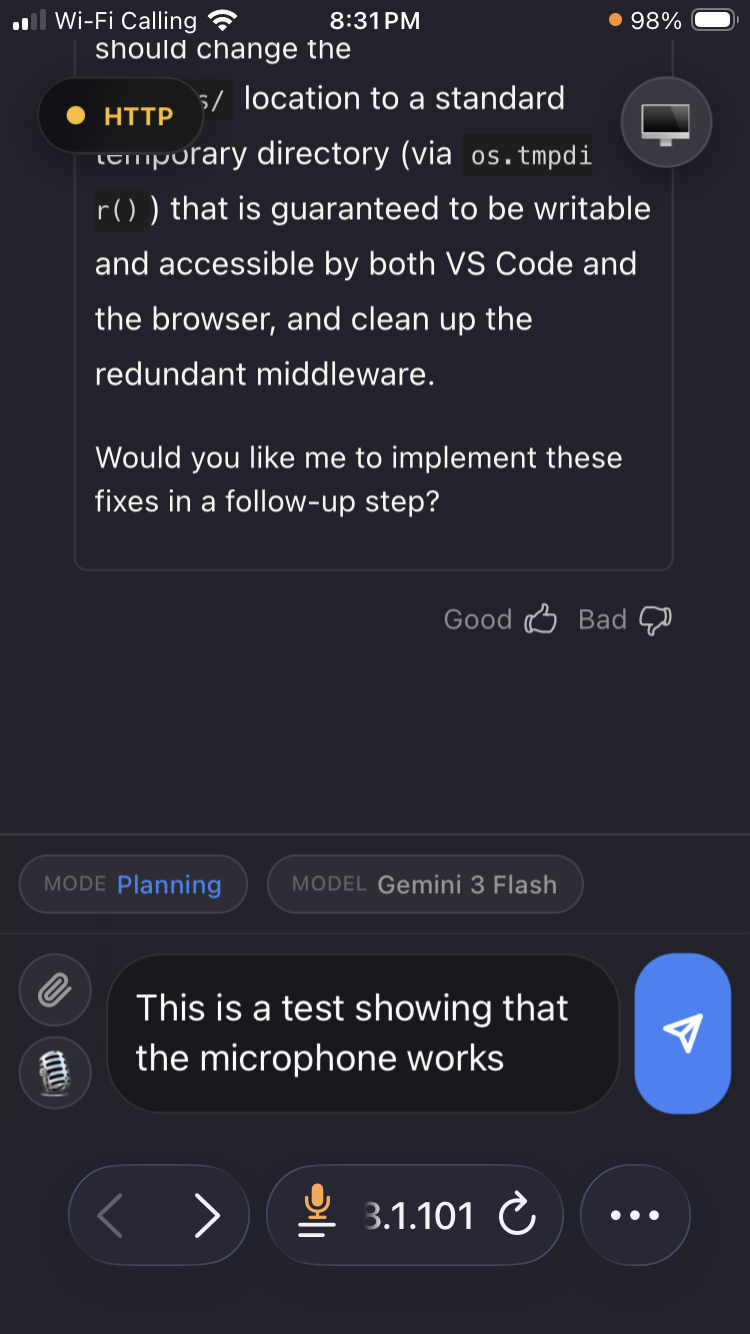
Antigravity Link is a VS Code extension that allows users to monitor and interact with an active Antigravity chat session from their mobile devices via a local server. It also provides an MCP server for programmatic control of Antigravity sessions.
From the registry: MCP server and OpenAPI-backed mobile companion for controlling Antigravity IDE sessions







Install & configure
Prerequisites
- requiredInstall Antigravity Link VS Code extensionInstall from Open VSX marketplacehttps://open-vsx.org/extension/cafetechne/antigravity-link-extension
- requiredStart Antigravity Link ServerRun the 'Antigravity Link: Start Server' command in VS Code to start the local bridge
- requiredGet bridge tokenCopy the token from the QR code URL (value after ?token=)
Install in your client
Paste into the AI you're chatting with — it will figure out the rest
Please install the `antigravity-link` MCP server into my current AI client (that's you).

Required prerequisites (do these first if not already done):
- **Install Antigravity Link VS Code extension** — Install from Open VSX marketplace (https://open-vsx.org/extension/cafetechne/antigravity-link-extension)
- **Start Antigravity Link Server** — Run the 'Antigravity Link: Start Server' command in VS Code to start the local bridge
- **Get bridge token** — Copy the token from the QR code URL (value after ?token=)

Canonical MCP server config (stdio transport):
- command: `node`
- args: ["<extension-dir>/mcp-server.mjs"]
- required environment variables:
  - `AG_BRIDGE_URL`: URL of the local Antigravity Link bridge server (example: `https://localhost:3000`)
  - `AG_BRIDGE_TOKEN`: Bearer token from the QR code URL (example: `<token>`)

Note: Replace <extension-dir> with the installed extension path, e.g. ~/.antigravity/extensions/cafetechne.antigravity-link-extension-1.0.13 (macOS/Linux) or %USERPROFILE%\.antigravity\extensions\... (Windows).

Add this MCP server to my current client's config in the correct format for you. If you need secrets or credentials I haven't provided, ASK me — do not invent values or leave raw placeholders. After adding it, tell me how to verify the server is connected.
Note: Replace <extension-dir> with the installed extension path, e.g. ~/.antigravity/extensions/cafetechne.antigravity-link-extension-1.0.13 (macOS/Linux) or %USERPROFILE%\.antigravity\extensions\... (Windows).
Environment variables
AG_BRIDGE_URLrequiredURL for the local bridge server.AG_BRIDGE_TOKENrequiredToken for authenticating with the local bridge server.Packages
antigravity-link-extension
npmv1.0.13transport: stdio
Details
- Language
- HTML
- License
- MIT
- Released
- Mar 31, 2026
- Last commit
- Jun 4, 2026
- Registry name
- io.github.cafeTechne/antigravity-link