Git Courer
An MCP server and CLI for git workflows that analyzes staged code with AST and dependency-graph logic to generate structured commit context, commit messages, and release/changelog data. It also provides tools for common git operations like status, diff, blame, branch management, review, backup, and undo, and can auto-configure supported AI clients.
From the registry: Full git MCP server for LLM agents — 17 tools, AST annotator, auto-backups, real plumbing.


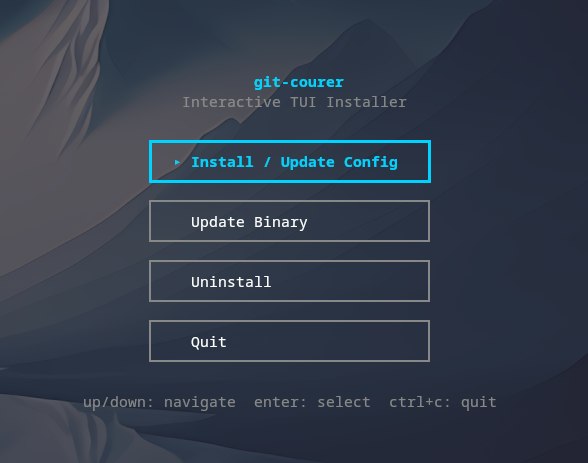
Install & configure
Prerequisites
- requiredInstall git-courer binaryInstall the git-courer executable. The README offers multiple methods; the simplest portable documented option is the install script.
https://github.com/blak0p/git-courer/releases/latest/$ curl -fsSL https://raw.githubusercontent.com/blak0p/git-courer/main/scripts/install.sh | sh - required
- requiredConfigure an LLM backendgit-courer requires some LLM backend. The README recommends a local backend such as Ollama by default, but also mentions any OpenAI-compatible server can work. Without a configured backend, the server will not function.https://blak0p.github.io/git-courer/
Install in your client
Please install the `git-courer` MCP server into my current AI client (that's you).

Required prerequisites (do these first if not already done):
- **Install git-courer binary** — Install the git-courer executable. The README offers multiple methods; the simplest portable documented option is the install script. Run: `curl -fsSL https://raw.githubusercontent.com/blak0p/git-courer/main/scripts/install.sh | sh` (https://github.com/blak0p/git-courer/releases/latest/)
- **Install Git** — Git is required by git-courer. (https://git-scm.com/)
- **Configure an LLM backend** — git-courer requires some LLM backend. The README recommends a local backend such as Ollama by default, but also mentions any OpenAI-compatible server can work. Without a configured backend, the server will not function. (https://blak0p.github.io/git-courer/)

Canonical MCP server config (stdio transport):
- command: `git-courer`
- args: ["mcp"]

Note: The README documents auto-configuration via `git-courer mcp setup`, but the canonical MCP server launch command is `git-courer mcp`. No MCP-specific environment variables are described in the provided README. Runtime behavior depends on git-courer's own config files (`~/.config/git-courer/config.yaml` and `.git-courer/config.json`) for LLM backend, model, and project settings.

Add this MCP server to my current client's config in the correct format for you. If you need secrets or credentials I haven't provided, ASK me — do not invent values or leave raw placeholders. After adding it, tell me how to verify the server is connected.Tools (4)
Details
- Language
- Go
- License
- MIT
- Released
- May 30, 2026
- Last commit
- Jun 15, 2026
- Registry name
- io.github.Alejandro-M-P/git-courer
Categories
Related Servers
Connect AI assistants to GitHub - manage repos, issues, PRs, and workflows through natural language.
The GitKraken MCP Server for managing repos, PRs, issues across GitHub, GitLab, Bitbucket and more.
Comprehensive Git MCP server enabling native git tools including clone, commit, worktree, & more.