Kernel Mcp Server
by onkernelofficialv1.0.0
30
8
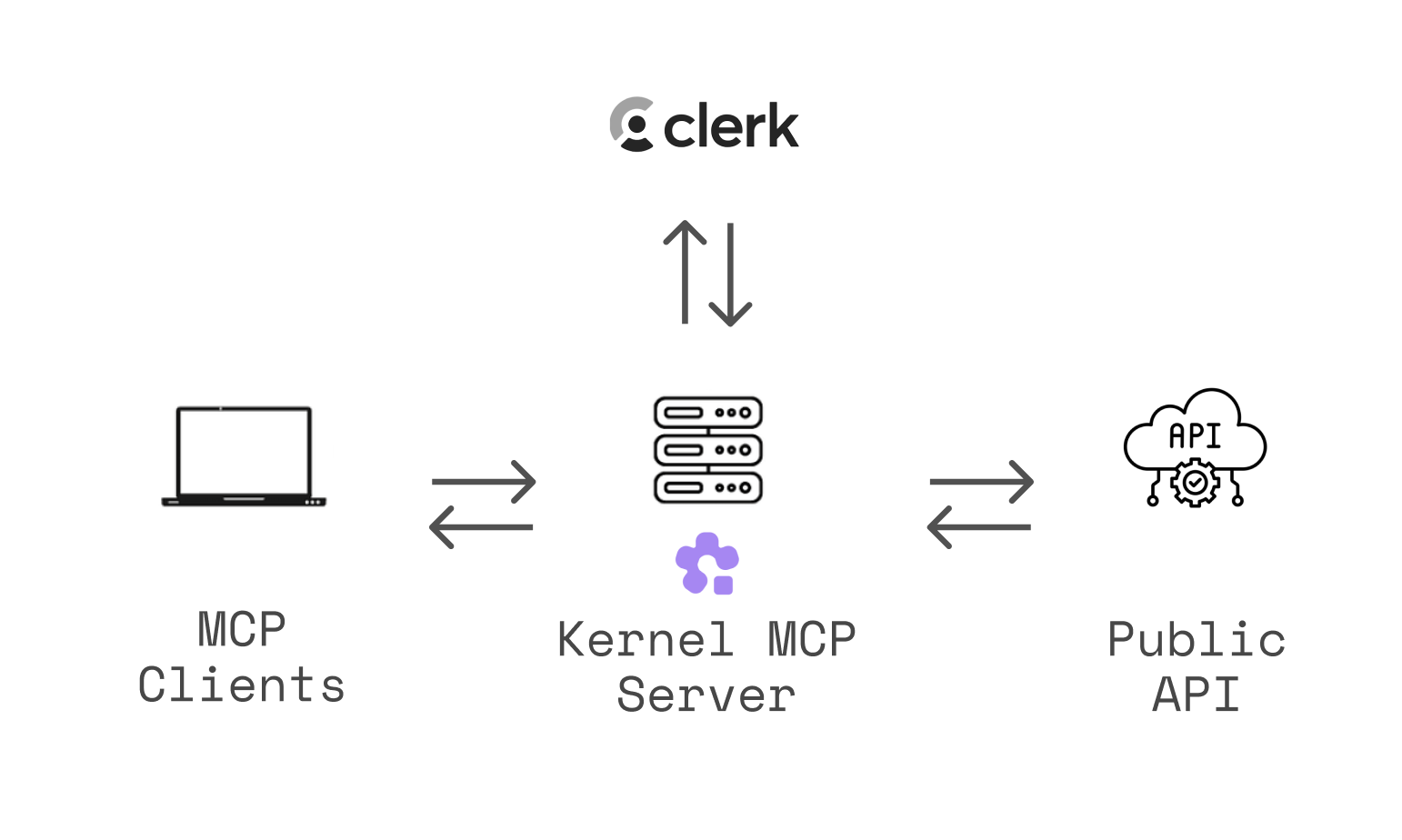
The Kernel MCP Server is a Model Context Protocol server that connects AI assistants to the Kernel platform, enabling cloud app management and browser automation. It supports various tools for deploying applications and executing code in headless browsers.
From the registry: Access Kernel's cloud-based browsers and app actions via MCP (remote HTTP + OAuth).


Install & configure
Install in your client
Paste into the AI you're chatting with — it will figure out the rest
Please install the `kernel-mcp-server` MCP server into my current AI client (that's you).

Canonical MCP server config (HTTP transport):
- url: `https://mcp.onkernel.com/mcp`

Note: Centrally hosted remote MCP server with OAuth 2.1 authentication. Streamable HTTP is recommended; use 'npx -y mcp-remote https://mcp.onkernel.com/mcp' for stdio bridge in clients without remote MCP support.

Add this MCP server to my current client's config in the correct format for you. If you need secrets or credentials I haven't provided, ASK me — do not invent values or leave raw placeholders. After adding it, tell me how to verify the server is connected.
Note: Centrally hosted remote MCP server with OAuth 2.1 authentication. Streamable HTTP is recommended; use 'npx -y mcp-remote https://mcp.onkernel.com/mcp' for stdio bridge in clients without remote MCP support.
Tools (10)
manage_browsers
Create, list, get, and delete browser sessions with various configurations.
manage_profiles
Setup, list, and delete browser profiles for persisting cookies and logins.
manage_browser_pools
Manage pools of pre-warmed browsers for efficient resource usage.
manage_proxies
Create, list, and delete proxy configurations.
manage_extensions
List and delete uploaded browser extensions.
manage_apps
List apps, invoke actions, and get invocation results.
computer_action
Control mouse and keyboard actions in browser sessions.
execute_playwright_code
Execute Playwright code against a browser with automatic video replay.
exec_command
Run shell commands inside a browser VM.
search_docs
Search Kernel platform documentation and guides.
Environment variables
CLERK_API_KEYrequiredAPI key for OAuth 2.0 authentication via Clerk.Remote Endpoints
https://mcp.onkernel.com/mcp
type: streamable-http
Details
- Language
- TypeScript
- License
- MIT
- Released
- Sep 9, 2025
- Last commit
- Jun 11, 2026
- Registry name
- com.onkernel/kernel-mcp-server