Linear Bootstrap
by toolwright-adkcommunityv0.1.3
1
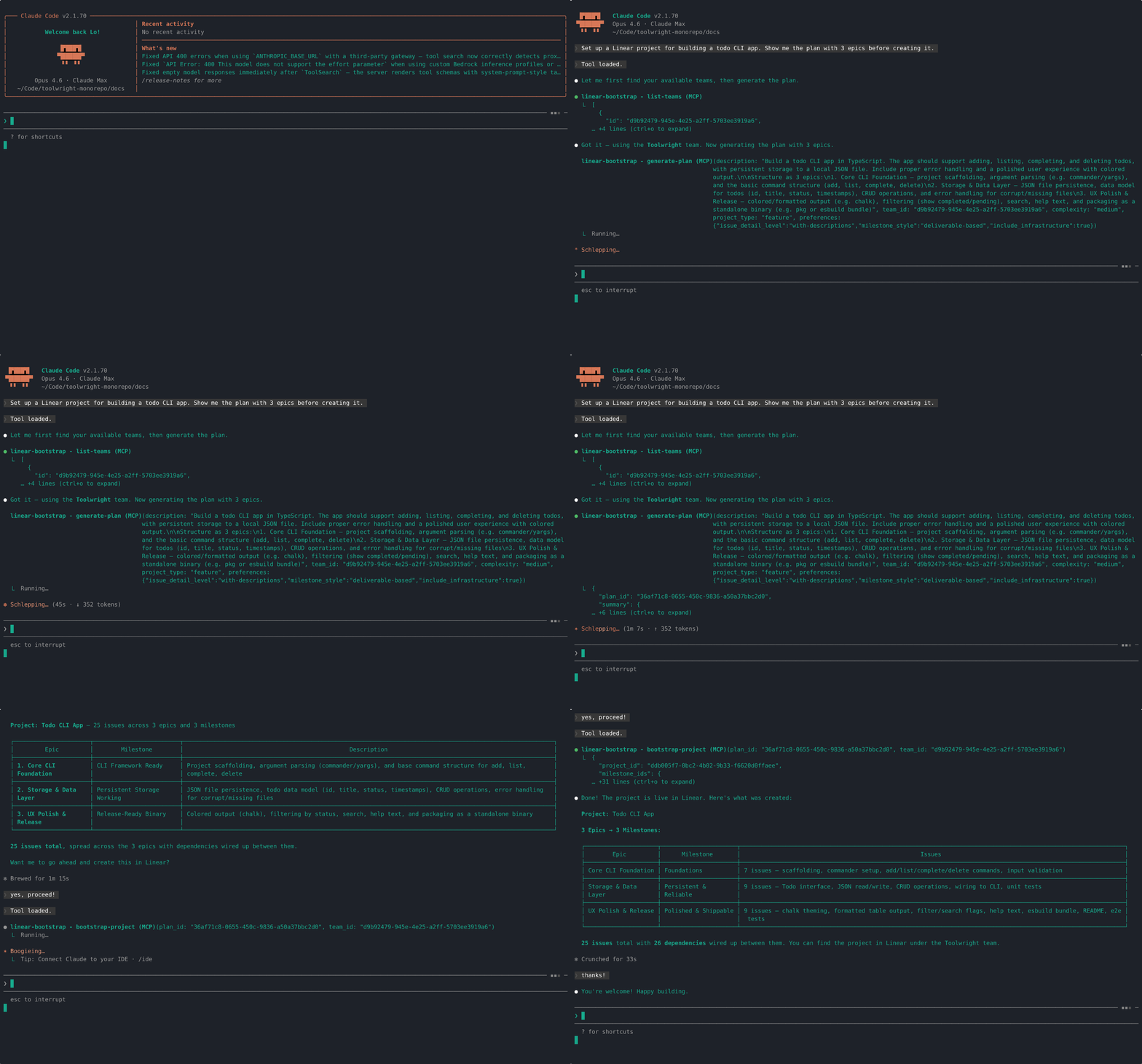
Creates structured Linear projects from a natural-language description by generating a plan, validating it, and optionally bootstrapping the project in Linear. It reads team conventions like workflow states, labels, cycles, and existing projects so the generated plan fits the workspace and avoids duplicate labels or project names.
From the registry: Bootstrap Linear projects from natural language — milestones, epics, issues, and dependencies.



Install & configure
Prerequisites
- required
- requiredCreate a Linear API keyCreate a Linear API key for the workspace you want the server to access.https://linear.app/settings/api
- requiredCreate an LLM provider API keyCreate an API key for an OpenAI-compatible LLM provider if self-hosting. The hosted Apify option does not require an LLM key, but the canonical self-hosted stdio setup does.
Install in your client
Paste into the AI you're chatting with — it will figure out the rest
Please install the `linear-bootstrap` MCP server into my current AI client (that's you).

Required prerequisites (do these first if not already done):
- **Install Node.js and npm** — Node.js is required to run the server via npx. (https://nodejs.org/)
- **Create a Linear API key** — Create a Linear API key for the workspace you want the server to access. (https://linear.app/settings/api)
- **Create an LLM provider API key** — Create an API key for an OpenAI-compatible LLM provider if self-hosting. The hosted Apify option does not require an LLM key, but the canonical self-hosted stdio setup does.

Canonical MCP server config (stdio transport):
- command: `npx`
- args: ["-y","@toolwright-adk/linear-bootstrap"]
- required environment variables:
  - `LINEAR_API_KEY`: Linear API key used to read team conventions and create projects in your Linear workspace. (example: `<your-linear-api-key>`)
  - `LLM_API_KEY`: API key for your OpenAI-compatible LLM provider. (example: `<your-llm-api-key>`)
  - `LLM_BASE_URL`: Base URL for your OpenAI-compatible LLM provider API. (example: `<your-llm-base-url>`)
  - `LLM_MODEL`: Model ID for your configured LLM provider. (example: `<your-llm-model>`)

Note: Preferred install path is the self-hosted stdio server via npx. README also mentions a hosted Apify option, but it does not provide a canonical MCP HTTP/SSE endpoint here, so only the stdio configuration is extracted.

Add this MCP server to my current client's config in the correct format for you. If you need secrets or credentials I haven't provided, ASK me — do not invent values or leave raw placeholders. After adding it, tell me how to verify the server is connected.
Note: Preferred install path is the self-hosted stdio server via npx. README also mentions a hosted Apify option, but it does not provide a canonical MCP HTTP/SSE endpoint here, so only the stdio configuration is extracted.
Tools (5)
list-teams
List all Linear teams accessible to the configured API key.
introspect-workspace
Read team conventions from Linear, including workflow states, labels, custom fields, cycles, and existing projects.
generate-plan
Generate a structured project plan from a natural-language description and return a cached plan ID plus summary.
validate-plan
Check a plan for structural issues such as circular dependencies, orphaned references, undefined milestones, and oversized epics.
bootstrap-project
Create a complete Linear project from a validated plan.
Environment variables
LINEAR_API_KEYrequiredLinear API key used to access the workspace and create projects.LLM_API_KEYrequiredAPI key for an OpenAI-compatible LLM provider.LLM_BASE_URLrequiredBase URL for the OpenAI-compatible LLM provider.LLM_MODELrequiredModel ID to use with the LLM provider.Packages
@toolwright-adk/linear-bootstrap
npmv0.1.3transport: stdio
Details
- Language
- TypeScript
- License
- MIT
- Released
- Mar 6, 2026
- Last commit
- Mar 10, 2026
- Registry name
- io.github.toolwright-adk/linear-bootstrap