Native DevTools
by sh3ll3x3ccommunityv0.8.0
126
15
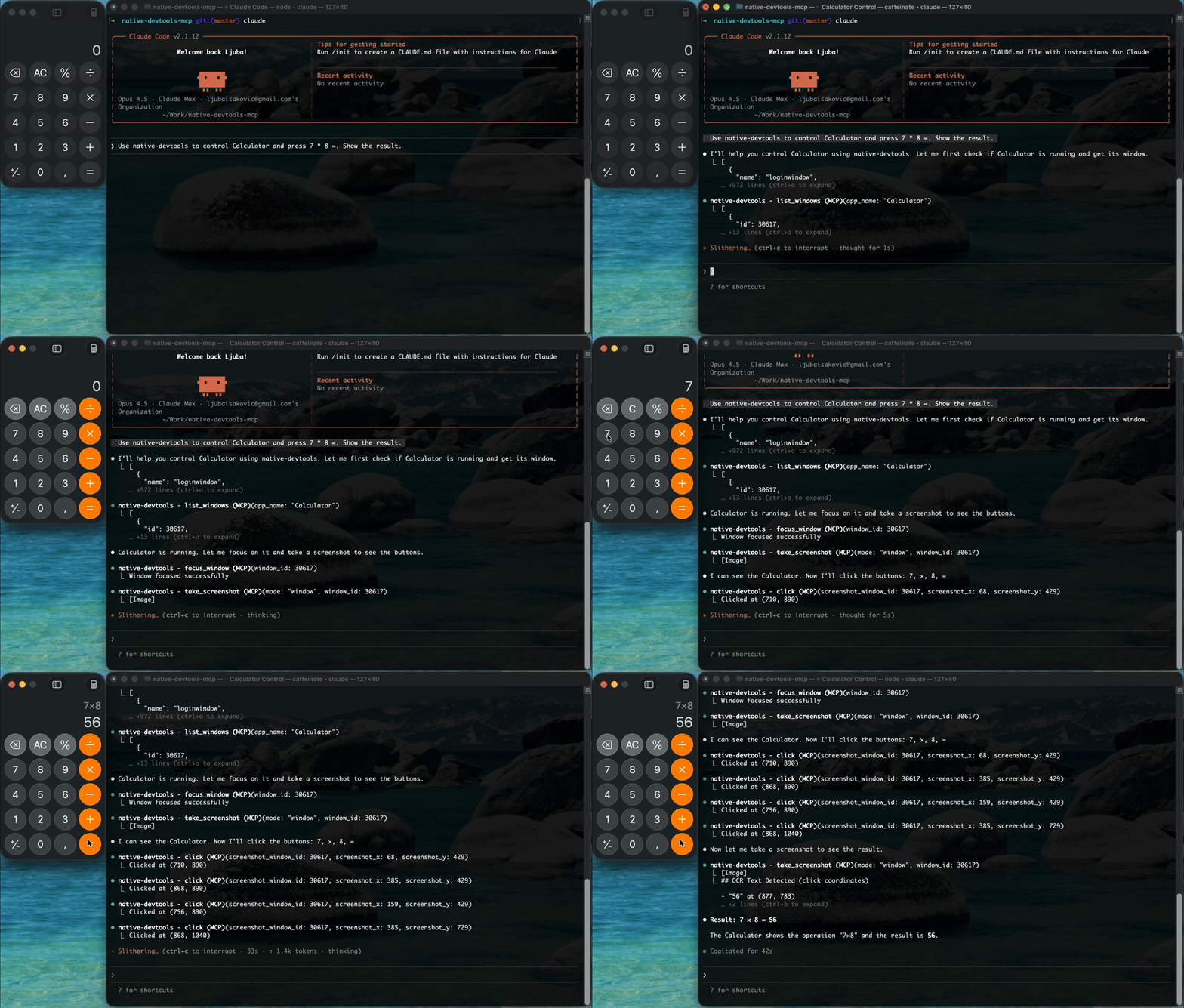
The `native-devtools-mcp` is a Model Context Protocol (MCP) server that enables AI agents and MCP clients to control native desktop applications, Chrome/Electron browsers, and Android devices through various automation techniques. It supports functionalities like screenshots, OCR, input simulation, and window management.
From the registry: MCP server for desktop, browser (CDP), and Android automation. Screenshot, OCR, click, type.




Install & configure
Prerequisites
- required
- requiredRun setup wizardChecks macOS Accessibility/Screen Recording permissions and auto-configures MCP client
$ npx native-devtools-mcp setup - optionalADB (optional)Required only for Android automation
$ brew install android-platform-tools
Install in your client
Paste into the AI you're chatting with — it will figure out the rest
Please install the `native-devtools` MCP server into my current AI client (that's you).

Required prerequisites (do these first if not already done):
- **Node.js 18+** — Node.js 18+ required (https://nodejs.org/)
- **Run setup wizard** — Checks macOS Accessibility/Screen Recording permissions and auto-configures MCP client Run: `npx native-devtools-mcp setup`

Optional prerequisites:
- ADB (optional) — Required only for Android automation Run: `brew install android-platform-tools`

Canonical MCP server config (stdio transport):
- command: `npx`
- args: ["-y","native-devtools-mcp"]

Note: Native computer use on macOS, Windows, and Android. Requires Accessibility and Screen Recording permissions on macOS. On macOS Claude Desktop, use the signed .app from GitHub Releases because Gatekeeper blocks npx.

Add this MCP server to my current client's config in the correct format for you. If you need secrets or credentials I haven't provided, ASK me — do not invent values or leave raw placeholders. After adding it, tell me how to verify the server is connected.
Note: Native computer use on macOS, Windows, and Android. Requires Accessibility and Screen Recording permissions on macOS. On macOS Claude Desktop, use the signed .app from GitHub Releases because Gatekeeper blocks npx.
Prerequisites
- • Node.js 18+
Packages
native-devtools-mcp
npmv0.8.0transport: stdio
Details
- Language
- Rust
- License
- MIT
- Released
- Apr 2, 2026
- Last commit
- May 31, 2026
- Registry name
- io.github.sh3ll3x3c/native-devtools