Oura Ring Mcp
by mitchhankins01communityv0.1.4
19
17
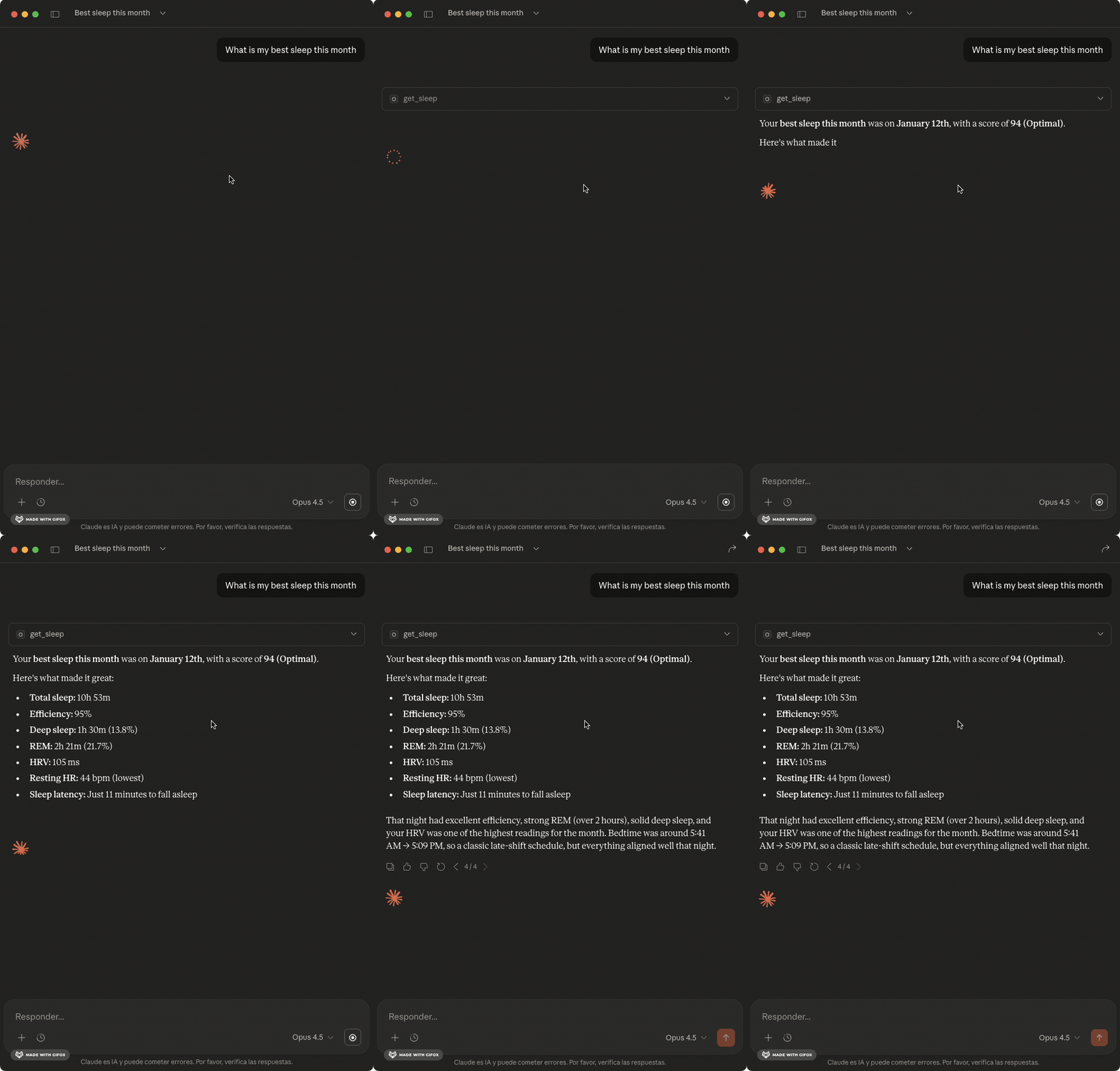
The Oura MCP Server connects your Oura Ring to Claude and other AI assistants, providing human-readable insights about sleep, readiness, and activity data.
From the registry: Connect your Oura Ring to Claude AI assistants. Health metrics with smart analysis tools.


Install & configure
Prerequisites
- requiredOura Ring Personal Access TokenGet a Personal Access Token from cloud.ouraring.com/personal-access-tokenshttps://cloud.ouraring.com/personal-access-tokens
Install in your client
Paste into the AI you're chatting with — it will figure out the rest
Please install the `oura-ring-mcp` MCP server into my current AI client (that's you).

Required prerequisites (do these first if not already done):
- **Oura Ring Personal Access Token** — Get a Personal Access Token from cloud.ouraring.com/personal-access-tokens (https://cloud.ouraring.com/personal-access-tokens)

Canonical MCP server config (stdio transport):
- command: `npx`
- args: ["oura-ring-mcp"]
- required environment variables:
  - `OURA_ACCESS_TOKEN`: Oura Personal Access Token (example: `<your-oura-access-token>`)
- optional environment variables:
  - `OURA_CLIENT_ID`: OAuth Client ID for automatic token refresh (example: `<your-oauth-client-id>`)
  - `OURA_CLIENT_SECRET`: OAuth Client Secret for automatic token refresh (example: `<your-oauth-client-secret>`)

Note: Connect Oura Ring to AI assistants. 17 tools + 5 resources + 5 prompts for sleep, readiness, activity, and health analysis. Can also use OAuth flow instead of PAT. Node >= 18 required.

Add this MCP server to my current client's config in the correct format for you. If you need secrets or credentials I haven't provided, ASK me — do not invent values or leave raw placeholders. After adding it, tell me how to verify the server is connected.
Note: Connect Oura Ring to AI assistants. 17 tools + 5 resources + 5 prompts for sleep, readiness, activity, and health analysis. Can also use OAuth flow instead of PAT. Node >= 18 required.
Tools (17)
get_sleep
Sleep data with stages, efficiency, HR, HRV
get_daily_sleep
Daily sleep scores with contributors
get_readiness
Readiness scores and recovery metrics
get_activity
Steps, calories, intensity breakdown
get_workouts
Workout sessions with type and intensity
get_sessions
Meditation and relaxation sessions
get_heart_rate
HR readings throughout the day
get_stress
Stress levels and recovery time
get_spo2
Blood oxygen and breathing disturbance
get_tags
User-created tags and notes
detect_anomalies
Find unusual readings using outlier detection
analyze_sleep_quality
Sleep analysis with trends, patterns, debt
correlate_metrics
Find correlations between health metrics
compare_periods
Compare this week vs last week
Environment variables
OURA_ACCESS_TOKENrequiredPersonal Access Token for authenticating with OuraOURA_CLIENT_IDrequiredClient ID from your Oura OAuth appOURA_CLIENT_SECRETrequiredClient Secret from your Oura OAuth appPrerequisites
- • Node >=18
Packages
oura-ring-mcp
npmv0.1.4transport: stdio
Details
- Language
- TypeScript
- Released
- Jan 25, 2026
- Last commit
- Feb 8, 2026
- Registry name
- io.github.mitchhankins01/oura-ring-mcp